You’re about to pay for Google Maps leads and you want to know what it’ll cost. Search “outscraper pricing” and page 1 is mostly Outscraper itself (its pricing page in another language, its sign-up page, its YouTube channel), a Product Hunt listing, a competitor’s comparison page, a Slashdot comparison and a YouTube video putting Outscraper against another scraper. It’s one scraper compared with another. None of the results I saw compare it with Google’s own way to give you this data: the Places API, with a free monthly allowance.
So here’s the alternative I built: Local Lead Finder, a $10 Google Sheet that asks Google for the data through the Places API (New), using your own key. I won’t quote Outscraper’s prices here; check their own pricing page for those. I’ll show what the sheet costs, what it does, what it doesn’t, and when I’d use something else. The numbers come from real runs: 74 coffee shops across 69 Gainesville areas, and 98 Boise plumbers where Google Maps showed me 20.
TL;DR
- Local Lead Finder is $10 once and runs on your own Places API key, with up to 1,000 free searches a month.
- The sheet doesn’t find emails or review text; you get phone, website, rating, reviews count and a WhatsApp link.
- The common mistake is thinking in per-record prices; the sheet’s cost is per area searched, and 42 Boise areas found 98 plumbers.
Who this is for
- Freelance web designer: you want local businesses with no website listed, and you’d rather pay once than per record.
- Local SEO or marketing agency owner: you’re pricing out lead tools and want to know what you’d give up with a cheaper one.
- Virtual assistant: you build lead lists for clients and want the list to land straight in a Google Sheet you can share.
- Outside sales rep: you work one territory at a time and want every business in it, with phone numbers, in one tab.
- Small business owner doing your own outreach: you need a few hundred local businesses, not a hundred thousand.
Before you start
- A Google Places API (New) key
- Local Lead Finder set up in your Google Drive
- Local Lead Finder itself
- A rough idea of how many businesses you need, and in which cities
- A list of the fields you can’t do without (phone, email, reviews)
Don’t have a Places API key yet? How to get one free. Haven’t set up the sheet? Setup takes 5 minutes.
What Local Lead Finder costs
Two things, and only two.
- The sheet: $10 once. It’s free for Better Sheets lifetime members. No subscription.
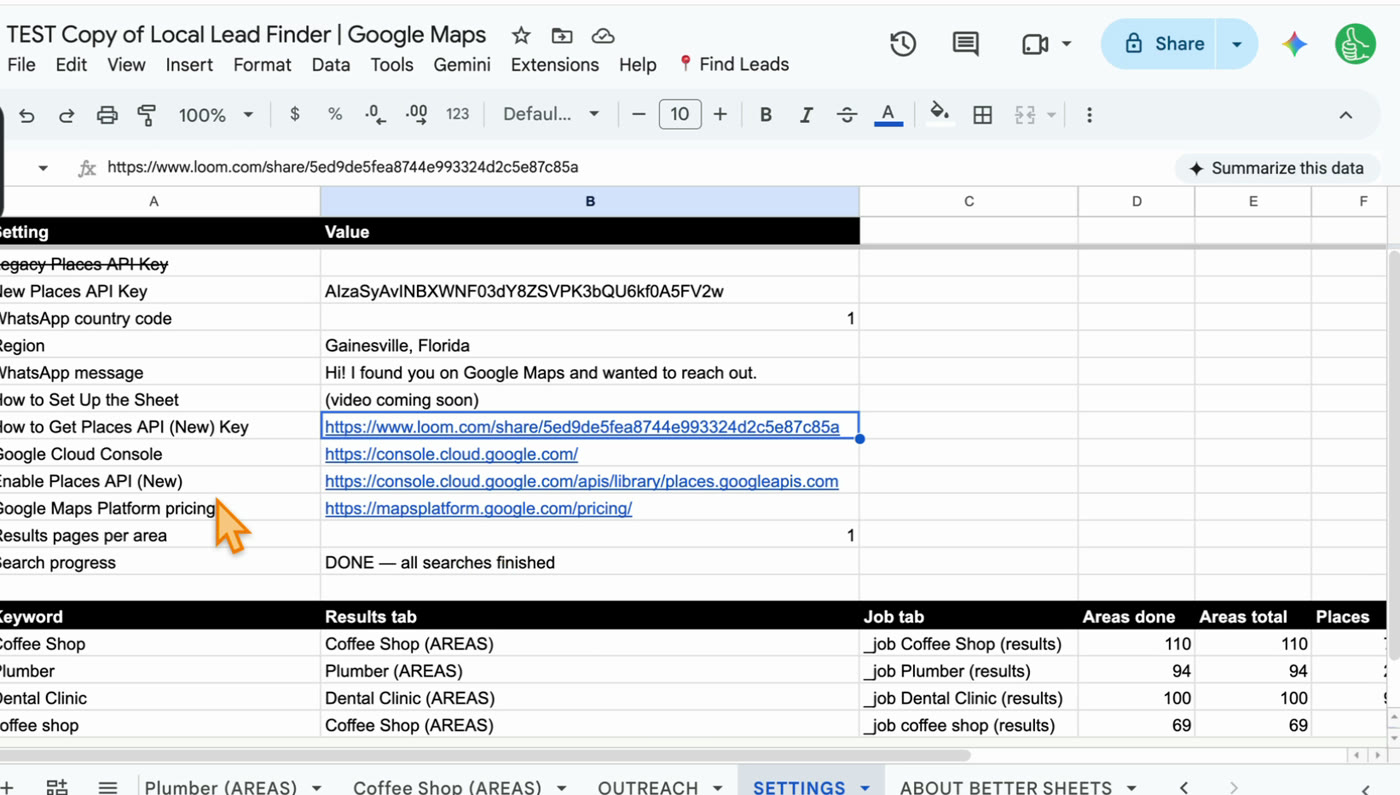
- Google Places requests, on your own key. Google gives up to 1,000 searches a month free. Past that, Google bills your own Google Cloud account, not me.
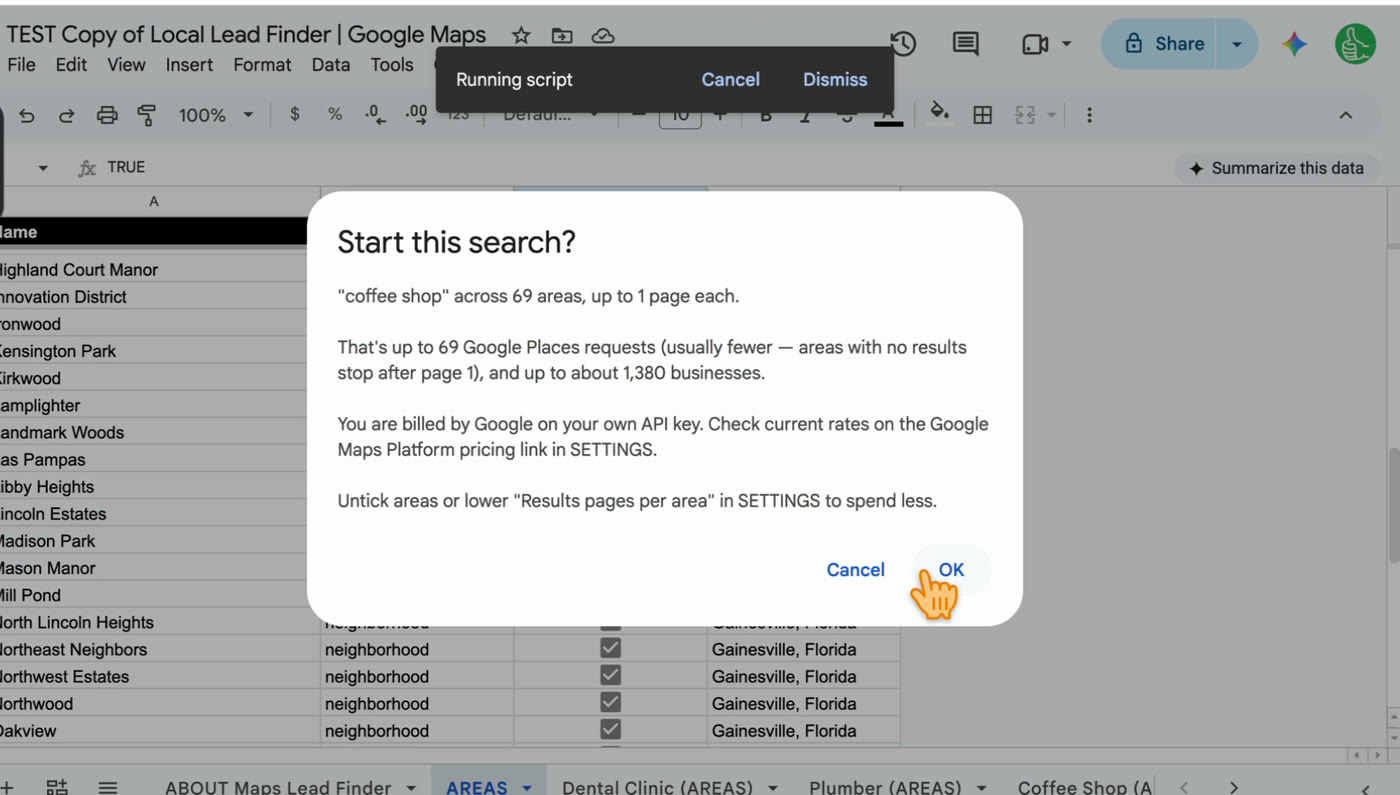
The part that’s different from a per-record price: the sheet’s cost is per area searched, not per business found. Each area is one Places request per results page, and you get up to 20 results per area by default. Before any search runs, it tells you the most it could cost.
Two real runs:
- Gainesville, Florida: Find Areas turned it into 69 areas. A “coffee shop” search was up to 69 requests and came back with 74 coffee shops, no duplicates.
- Boise, Idaho: 42 areas, 42 requests, 98 plumbers. Google Maps in the browser showed me 20.
Both runs together are up to 111 requests, inside one month’s free allowance. The key goes in the SETTINGS tab of your own copy of the sheet.
What the sheet doesn’t do
I’d rather you pick the right tool than buy mine and be disappointed. If you need any of these, look for a tool that says it does them:
- Email addresses. The sheet doesn’t find emails. You get phone numbers and websites, and most local businesses list a contact email on their site.
- Review text. You get each business’s rating and number of reviews, not the reviews themselves.
- Very large pulls. The sheet is built for a city or a region at a time, with every area listed in its own tab.
- Other data sources. The sheet only searches Google Maps places.
What the sheet does that I built it for
It’s what I wanted when I was copying Google Maps results into a sheet by hand.
- The list is the sheet. Results land in a new tab, named after the search. No export, no import.
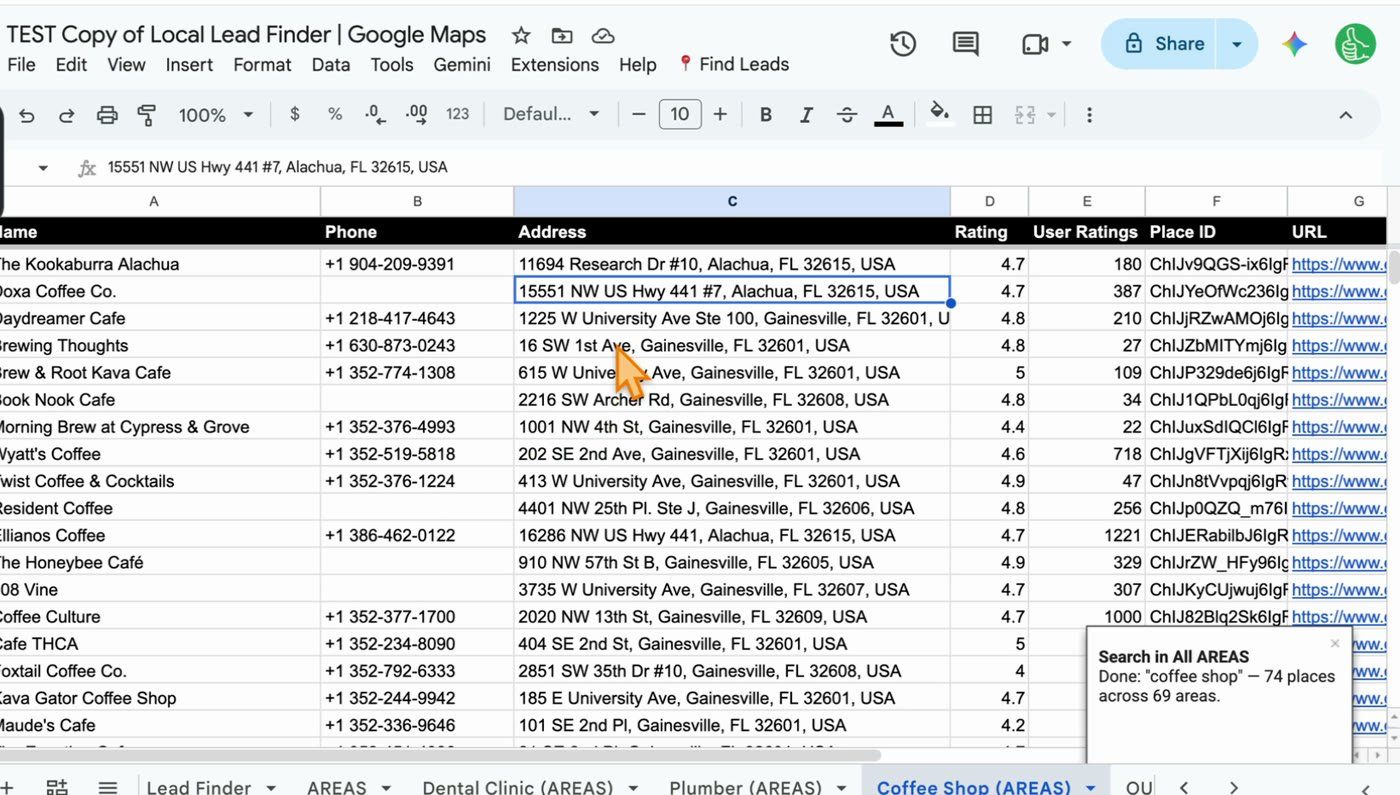
- Every neighborhood, no duplicates. Find Areas turns a city into its towns and neighborhoods. The search runs in each one and keeps each business once. That’s how 42 Boise areas got to 98 plumbers when one Maps search showed 20.
- A WhatsApp link on every row, with your message already typed in.
- A record of who you contacted. Mark a row Outreached and it copies to the OUTREACH tab.
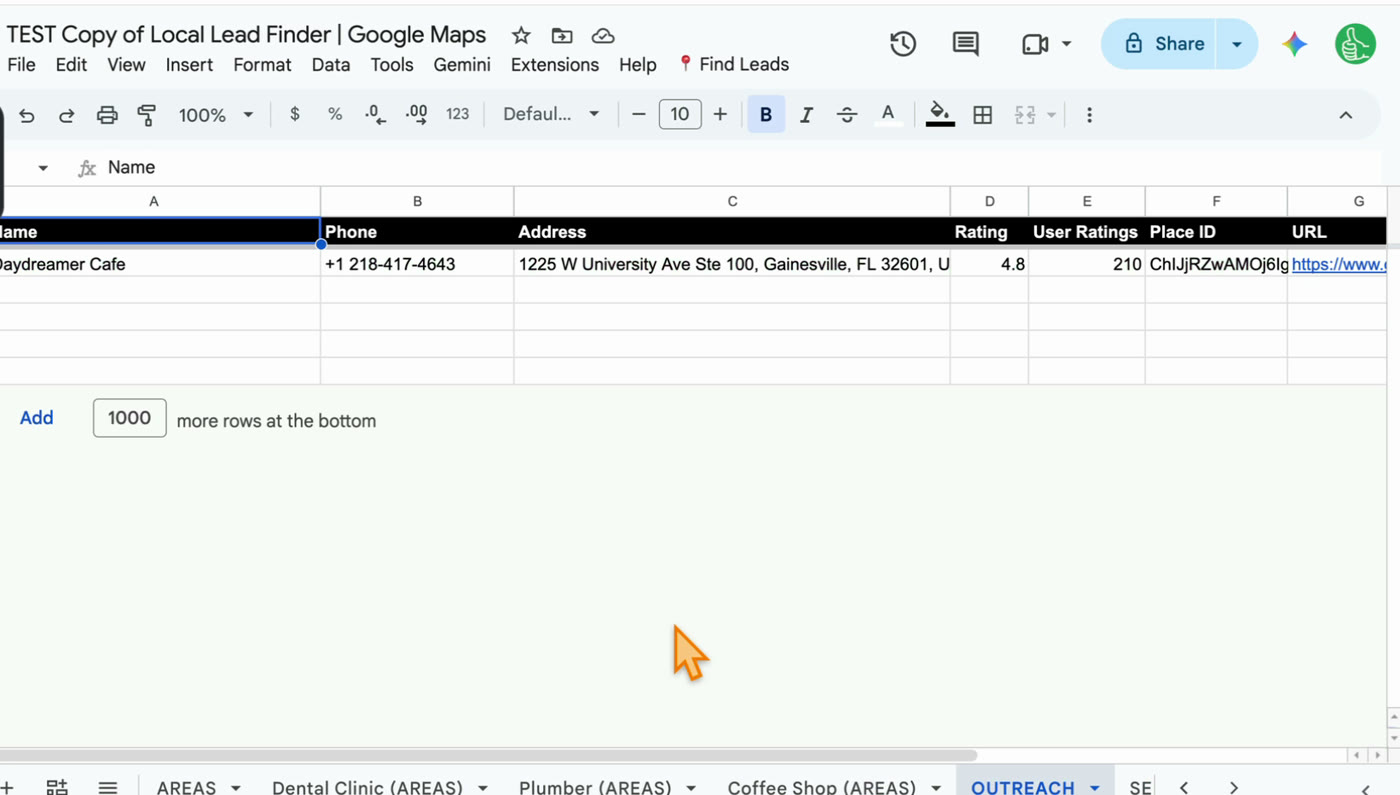
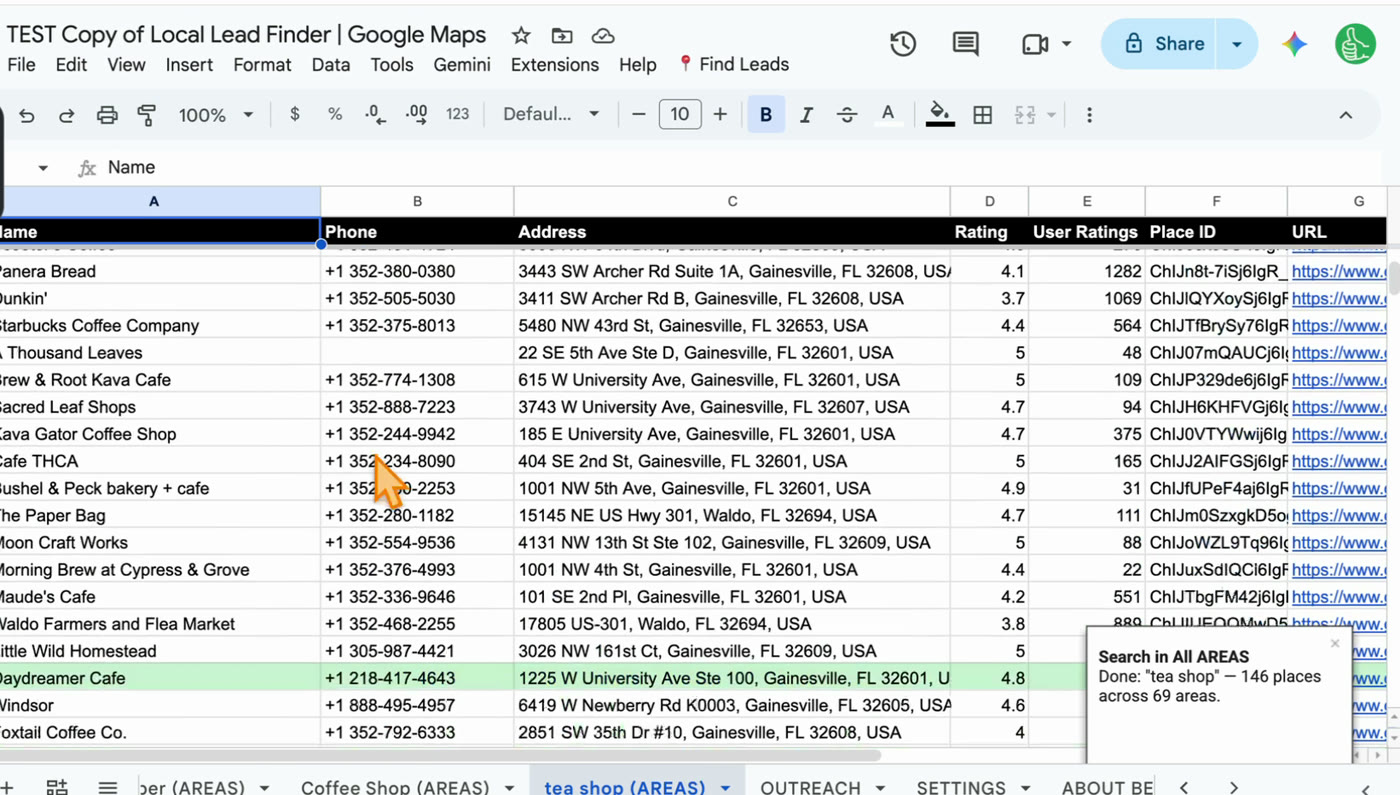
- No double messages. That row stays green in every future search. When I searched “tea shop” after “coffee shop”, Daydreamer Cafe came back highlighted.
Which one I’d pick
- You need emails, review text, or a very large pull: a hosted tool like Outscraper that says it does those things. Check its own pricing page.
- You need every business of one kind in a city or two, with phone numbers, and you work in Google Sheets anyway: Local Lead Finder. $10 once, and most searches fit in Google’s free allowance.
- You’re not sure: run one city in the sheet first. If the fields aren’t enough, you’ll know exactly what you need from a paid tool.
Step by step
- Write down the fields you can’t do without: phone, website, email, review text.
- If email or review text is on that list, the sheet isn’t the right tool; look at a hosted service instead.
- If phone, website, rating and reviews count are enough, get a free Places API (New) key (how).
- Copy Local Lead Finder to your Google Drive and paste the key into SETTINGS (setup).
- Run Find Areas for region on your city and untick any areas you don’t want.
- Run Search in All AREAS, read the request count, and click OK.
- Work the list, and mark each business Outreached after you contact it.
Common pitfalls
- Thinking in per-record prices: the sheet’s cost is per area searched. 42 Boise areas was 42 requests and found 98 plumbers.
- Paying for fields you won’t use: if you’ll only ever call or WhatsApp, you don’t need email enrichment.
- Expecting emails from the sheet: it doesn’t find them. Plan to get them from the business’s website, or use a tool that does enrichment.
- Searching one city name once: one search only goes 20 deep. Search every area; that’s what Find Areas is for.
- Enabling the old Places API: the sheet needs Places API (New).
- Not reading the request count on a big city: the sheet shows the most a search could cost before it runs. Look before you click OK.
- Forgetting to mark Outreached: without it, the next search won’t show you who you already contacted.
Learn the Google Sheets formulas in this post
- 3 Ways to Count in Google Sheets: count how many businesses you found, by area or by rating.
- How To Sort A Filter: sort the results so the businesses you care about come first.
- How to Find Duplicates: the idea behind each business showing up once, even when it turns up in two areas.
- How to Create a CRM in google sheets w/ Dashboard: a next step for tracking who you contacted and what they said.
Better Sheets has hundreds more tutorials like these. If you want to get better at Google Sheets, join Better Sheets.
Other ways to use Local Lead Finder
- Free Google Maps Scraper in Google Sheets (That Doesn’t Scrape): for anyone comparing Chrome extensions, hosted scrapers and GitHub scripts.
- Google Sheets CRM for Leads: Pipeline, Follow-Ups, No Repeats: for anyone who has the list and needs to track follow-ups.
- Where to Get Local Leads: Google Maps showed 20 plumbers, the sheet found 98: for anyone choosing where their leads come from.
- How to Find Local Businesses Without Websites (131 hair salons, Chattanooga): for web designers looking for businesses that need a site.
All 18, grouped by who they’re for: Lead generation ideas: 18 local businesses to sell to.
FAQ
Is there an alternative to Outscraper for local leads?
For local businesses with phone numbers, yes: Local Lead Finder is $10 once and uses Google’s Places API on your own key, with up to 1,000 searches a month free. It doesn’t find emails or review text, so whether it’s an alternative depends on what you need.
Is Outscraper legal?
I can’t speak for Outscraper, and this isn’t legal advice. Local Lead Finder doesn’t scrape. It uses Google’s official Places API with your own key. More in Is Scraping Google Maps Legal?.
How much does web scraping cost?
Local Lead Finder charges nothing per record: $10 once, then Google’s Places requests on your own key, one per area per results page, with up to 1,000 a month free.
Does Local Lead Finder get email addresses?
Not yet. You get phone numbers, websites and a WhatsApp link with your message typed in. Every one of the 98 Boise plumbers had a phone number.
Can it export Google reviews?
No. Each row has the rating and the number of reviews, not the review text. If you need the reviews themselves, use a tool built for that.
Do I need a Google Maps API key?
Yes, a Places API (New) key. It’s free to create and takes about five minutes. Here’s every step with screenshots.
Can I export the results to CSV?
Yes. Each search makes its own tab, and File > Download in Google Sheets gives you a CSV or Excel file.
Get the sheet
Local Lead Finder is $10, and free for Better Sheets lifetime members.
