so you've got yourself a Sheety Situation Pick a time, I’ll help
Think of this as the spreadsheet batsignal. Gotham’s got Batman. Google Sheets has me. A spreadsheet wizard. You bring the sheet. I fight the problems.
First hour is free. Pick a time on the calendar, no account needed. Want more time after that? Buy hours on this page. If I can’t make it better in that hour, I’ll tell you straight: I can't help you.
This isn't just talk.
- Your sheet, helped instantly.
- Your data, fixed in real time.
- Automations added, right then and there.
- Formulas fixed, and ones you never thought of.
- I'll show you parts of Google Sheets you never heard of.
- We'll use Google Sheets features in unique ways.
- We'll accomplish goals you never thought you'd tackle.
What we actually do on the call
- Open the sheet you’re using (or the one you’re trying to build).
- Name what’s slow, fragile, or embarrassing. Messy is normal.
- Spot quick wins; sometimes we fix something on the spot.
- Talk honestly about what a bigger build or ongoing help would look like if it’s a fit.
Most people who book a first call leave with a better sheet after one conversation. Others bring me in for a project or longer support.
If you’re on the fence
“My sheet is a disaster.”
That’s the job. I’m not judging your sheets. I’m improving your sheets.
“I’m not technical.”
You don’t need to be. You need clarity and a system that matches your business.
“I’m worried this is a sales pitch.”
The call is to see if I can help. If not, I’ll say so.
“I don’t know what to ask.”
Say what hurts: “It takes forever to update,” “we duplicate data,” “I’m afraid to delete a row.” That’s enough.
What we can build together
Straightforward fixes
- Validation, dropdowns, conditional formatting
- Cleanup and layout so people actually use it
- Filtering, sorting, and safer structure
Heavier systems
- Dashboards and auto-updating views
- Workflows and triggers (including email)
- Internal tools and sellable spreadsheet products
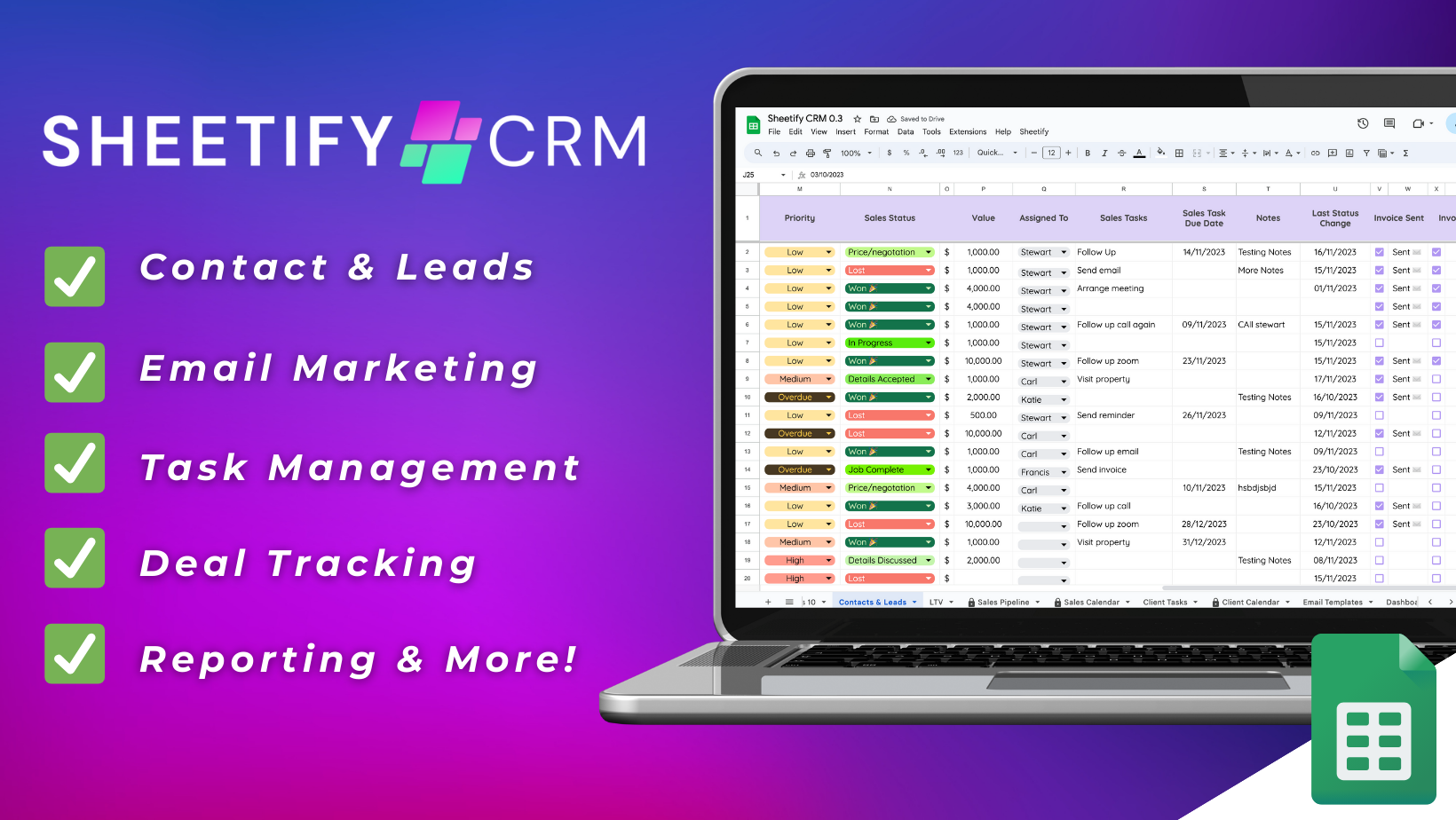
I Built The CRM. I Don't Sell the sheet.
it's SheetifyCRM by Stewart Gauld
Sheetify is a full Google Sheets CRM and business toolkit. Stewart sells it; I built it for him and still work on it. It’s a public example of how far Sheets can go: clients, tasks, email, integrations. When you need a real system, not a single tab.
If your needs are smaller, we sketch only what you need. If your needs are closer to that scale, we can talk about what to customize first.
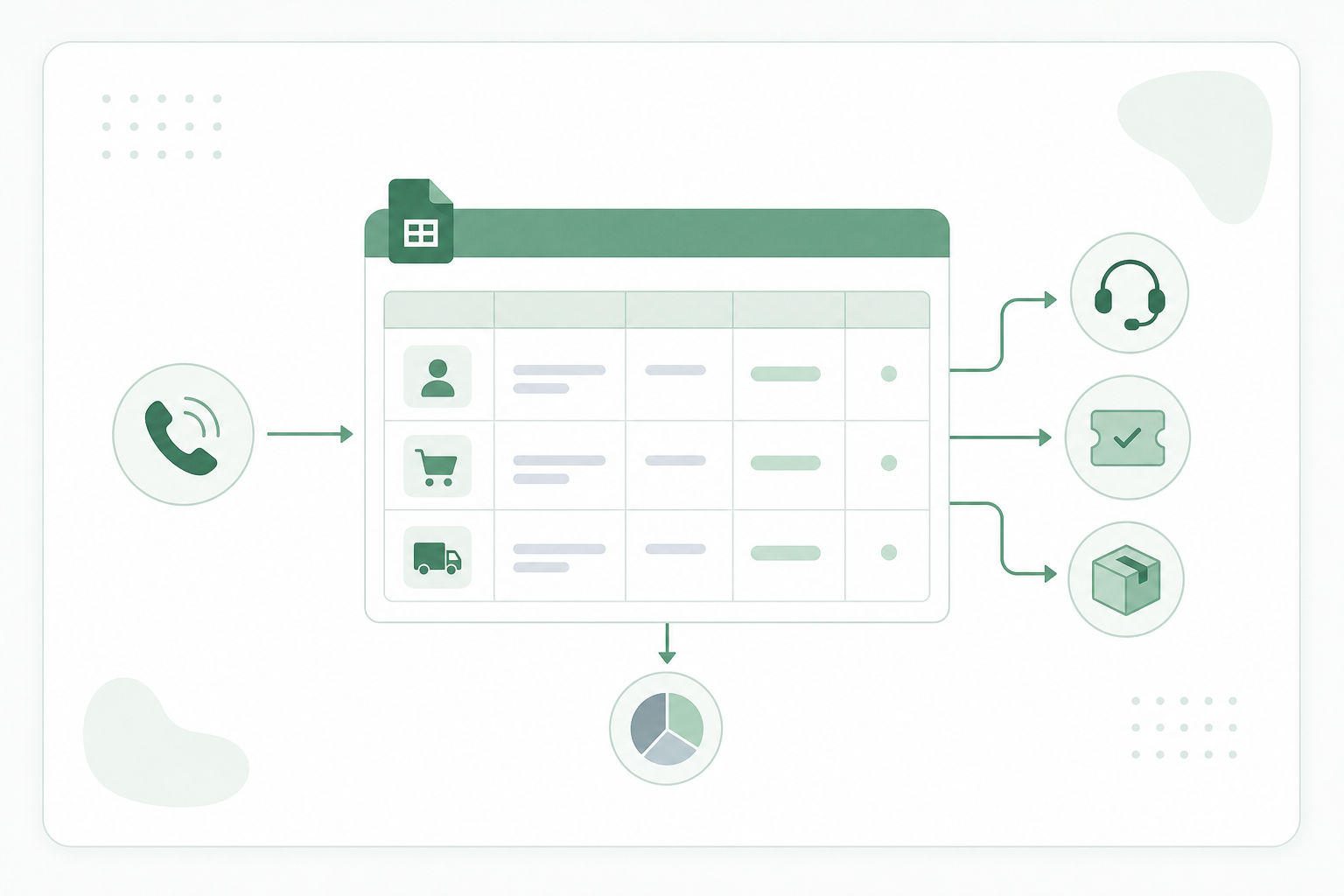
I Helped a Help Desk
A company asked for an internal help desk. Not a flashy sales CRM. Their team takes orders on the phone. Before, it was too easy to lose track of who ordered what, and when.
We set up Google Sheets so customers and orders live in separate, linked places. We can see at a glance who’s ordered once versus who orders again and again. Automations make it straightforward to enter sales data without fighting the sheet.
On a call, someone can pull up a customer and confirm details in context, like whether their shipping address changed after a move, without digging through five tabs. The same flow pushes the right information toward shipping: there’s a shipping today view for what needs to go out: check it off when it’s done, and move on.
That’s what I mean by spreadsheets that match how you work: not a template dumped in your Drive, but wiring, views, and automations around your actual day.
I Built a Roofing Lead Scraper and Email Drip in Google Sheets
A roofing supply company sells shingles, underlayment, and tools to contractors. Their sales team was finding new customers the slow way: referrals, trade shows, and cold calling whoever they could dig up. Meanwhile a national searchable directory listed thousands of roofing contractors, each with an email and a phone number right on the listing page. Every one of those contractors buys materials from somebody.
The problem: there was no master list and no export button. The only way in was a “find a roofer near me” ZIP code search with a 50-mile radius. Copying 2,000 listings by hand meant weeks of someone’s time, and the list would be stale the day it was finished. Their other options were paying a lead vendor per name, or buying a scraping tool and an outreach tool and wiring them together.
Here’s what I built instead, in three hours, inside one Google Sheet they already knew how to use:
- ZIP coverage. I solved the math first. I wrote an Apps Script that pulls Census data and picks the fewest ZIP codes whose 50-mile circles blanket the whole US. No guessing, no hand-picked list of cities.
- Scrape. I ran every ZIP through the search, then hit each listing page and pulled name, email, and phone into the sheet. I made it resumable: if it stops, they run it again and it picks up where it left off.
- Drip outreach. Over 2,000 leads. I put a personalized email template right in the sheet and gave them two ways to send: in bursts from a menu button, or on a drip, one email an hour from a trigger, spread over days, weeks, even months. I added pacing, deduping, and address validation so they get no spam flags and no burned domain.
We worked together for three hours total. Not a long engagement, not a retainer, not a project that dragged on for months. Three hours, and they walked away with a lead list that rebuilds itself, an outreach system that sends every day without anyone touching it, and no monthly software bill. Nobody on their team writes code. When they want a fresh pull, they open the sheet and click a menu. When they want to change the pitch, they edit a cell. Warm replies from roofers land in their inbox steadily, ready to work, instead of one giant blast.
If you’ve got a directory, a marketplace, an association site, or any “search near me” page full of the people you want to sell to, this is the kind of job I do. Bring the URL to the call. In the first hour we’ll know whether it’s a three-hour build or a thirty-minute one. Book a call. First hour is free.
A few more things I’ve built in Sheets
A sponsorship platform
I built the sheet and the sponsor workflow around it.
Cut back-and-forth email way down.
A licensing CRM
I added a simple automation to move data without manual copy-paste.
Saves 3 hours of manual work per employee, every week.
A bookmark system for weekly newsletters
I turned a messy weekly routine into one sheet people could actually use.
Saves 90 minutes of copy/pasting time each week.
Project management and pipeline tracking
I built one system the whole team could run on, not five tabs nobody trusted.
Every employee relies on this sheet to get their work done.
Who this is for
Owner-operators living in their own spreadsheets
Small teams with no dedicated “ops” person
People who want to sell or productize a sheet
Anyone who needs the sheet to match reality, not the other way around

About me
I’m Andrew Kamphey, creator of Better Sheets. I spend most of my working life in spreadsheets.
I’ve helped thousands of people and teams get unstuck: creators, coaches, SaaS, ecommerce, and more. You might’ve seen templates on AppSumo, videos on YouTube, or a sheet someone sold that I helped shape.