Spreadsheet fundamentals
Core Google Sheets skills: formulas, formatting, charts, and everyday workflows

Why Download Google Sheet as CSV
In this video, learn how to easily download a Google Sheet as a CSV file using a special URL tool, and discover the benefits of sharing data in this format without needing to send the actual file.

Click, New Sheet
Learn how to create a new sheet in Google Sheets with a fun and interactive method using App Script. This video guides you through the process of duplicating sheets with a click of a button.

How to Remove Your Own Access to a Google Sheet
Learn how to easily remove your own access to a Google Sheet in this quick tutorial. Follow the steps to manage your permissions and ensure you no longer have access to unwanted documents.
How To Create Google Calendar Events in Google Sheets
Learn how to automate the creation of Google Calendar events directly from Google Sheets using a simple Google Apps Script. This tutorial simplifies the process of managing multiple events by allowing you to send selected rows to your calendar effortlessly.
How to Easily Copy Format in Google Sheets
Learn how to efficiently copy formatting in Google Sheets using the paint format feature, allowing you to quickly apply styles without altering the data.

How to Delete Rows in Google Sheets
Learn how to efficiently delete rows in Google Sheets using various methods, including right-click options, keyboard shortcuts, and Apps Script functions.

How to Indent Google Sheets
Learn how to effectively indent tasks in Google Sheets to create a clear hierarchy and improve organization. This video covers multiple methods, including using custom number formats and helper columns.

How To Sum Random Cells in Google Sheets
Learn how to sum random cells in Google Sheets using various methods, including the SUM formula and INDEX function, to create dynamic calculations for your data analysis.

Find Untitled Spreadsheets With Data In Your Google Drive
Learn how to locate untitled spreadsheets in your Google Drive that contain valuable data, ensuring you never lose track of important information again.

Change Row Color When Payment Received
Learn how to change the row color in Google Sheets when a payment is received using conditional formatting. This quick tutorial will guide you through creating a dropdown menu and applying the formatting rule effectively.

Auto Increment Invoice Numbers So The Sheet Remembers!
Learn how to automatically increment invoice numbers in Google Sheets using Apps Script, ensuring your sheet remembers the last used number even after changes.

How to Write Personalized DM Messages in Google Sheets
Learn how to create personalized direct message templates in Google Sheets using simple functions and formulas to streamline your outreach on LinkedIn.

How to Capitalize Names Automatically in Google Sheets
Learn how to automatically capitalize names in Google Sheets using Google Apps Script. This tutorial walks you through creating a function that formats names correctly as you edit them.
How to Automatically Cross Off Completed Tasks
Learn how to automatically cross off completed tasks in Google Sheets using conditional formatting for a cleaner and more organized look.

Autofill Today's Date When Cell Edited
Learn how to automatically fill in today's date in Google Sheets when a cell is edited, using Google Apps Script. This tutorial simplifies the process of tracking status changes without manual entry.

How to Create 64 Team Bracket in Google Sheets
Learn how to create a 64 team tournament bracket in Google Sheets, similar to the NCAA basketball tournament format. This tutorial covers merging cells, adding borders, and customizing your bracket layout.

Create Rolling Dice in Google Sheets
Learn how to create a rolling dice feature in Google Sheets using randomization techniques and App Script. This tutorial covers everything from basic random number generation to creating interactive buttons for rolling multiple dice.

Download Sheet by Clicking Image in Google Sheets
Learn how to create a clickable image in Google Sheets that allows users to easily download the sheet as a CSV file. This tutorial simplifies the process of sharing data through a visually appealing button.

SearchLord One Sheet to Search Them All
In this video, discover how to use the SearchLord app within Google Sheets to efficiently search across multiple websites using customizable keywords. Learn how to enhance your Google Sheets experience with features like checkboxes and custom menus for streamlined searches.

Move Row Based on Dropdown
Learn how to effectively manage tasks in Google Sheets by moving entire rows based on dropdown selections, creating a simple CRM or task list with different priority tabs.
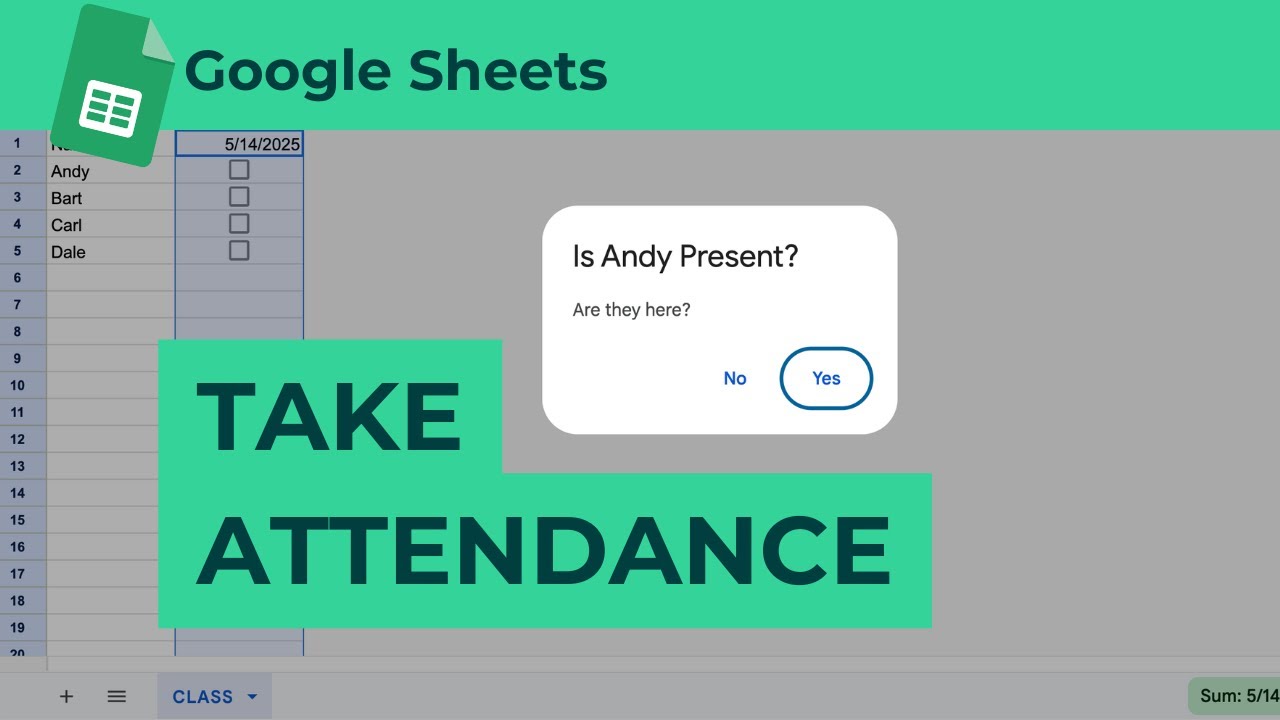
Take Attendance in Google Sheets
Learn how to take attendance in Google Sheets using a custom script that simplifies the process with alerts and checkboxes. This tutorial covers automating daily attendance tracking and creating a user-friendly interface.

How To Get Random Number Every Minute in Google Sheets
Learn how to set Google Sheets to generate a random number every minute without any coding. This simple adjustment can add dynamic updates to your spreadsheets effortlessly.

How To Refresh Google Sheets Every Minute or Hour
Learn how to refresh Google Sheets every minute or hour to keep your data up-to-date with this quick tutorial. Discover tips on using Google Finance for real-time stock prices and currency exchange rates.

How to Get Link to a Range in Google Sheets
Learn how to create links to specific ranges in Google Sheets, making it easier to share precise locations within your spreadsheets with others.