Spreadsheet fundamentals
Core Google Sheets skills: formulas, formatting, charts, and everyday workflows
How To Add Bullet Points In Google Sheets
Learn how to easily add bullet points in Google Sheets using a simple keyboard shortcut. This video also covers tips for enhancing your spreadsheets with checklists and emojis.

How to Show Month Name, And Not Whole Date, in Google Sheets
Learn how to display only the month name from a date in Google Sheets while keeping the original date data intact. This tutorial provides a step-by-step guide to formatting your dates effectively.
Add a Button To Automate Add a Row with Assignee Name
Learn how to automate adding a row in Google Sheets with a button that assigns a specific person to the task, streamlining your workflow with just one click.
How to Convert Words to Hashtags in Google Sheets
Learn how to easily convert phrases into hashtags in Google Sheets using a single formula with array formulas. This video provides a step-by-step guide to streamline your hashtag creation process.
How to Reverse a Word in Google Sheets
Learn how to reverse a word in Google Sheets using a formula that combines various functions to achieve the desired result. This video also explores how to check if the reversed word is a palindrome.
Automate The Year in Google Sheets
Learn how to automate the year in Google Sheets using the TODAY function and the YEAR formula, ensuring your spreadsheet updates automatically as the year changes.

How to Change the Color of a Cell
Learn how to change the color of a cell in Google Sheets, including background colors and text adjustments, to enhance your spreadsheet's visual appeal.
How to get a Random Number Every Hour in Google Sheets
Learn how to generate a random number every hour in Google Sheets using the Rand and Rand Between functions, and set your sheet to auto-update for dynamic data display.

How to Add Column Automatically for Habit Tracking
Learn how to automatically add a new column to your habit tracker in Google Sheets every day using Google Apps Script. This tutorial covers the necessary steps to set up the script and triggers for seamless automation.
How To Delete Extra Columns In Google Sheets
Learn how to efficiently delete extra columns in Google Sheets using built-in features and the Tiny Sheets extension for a cleaner spreadsheet experience.

How to Share a Single Tab with Clients Without Exposure to Other Data
Learn how to create a secure client portal in Google Sheets that allows clients to view a single tab without accessing other data, using simple formulas and no Apps Script.

Add a Button To Automate Add a Column with Date for Inventory
Learn how to create a button in Google Sheets that automatically adds a new column with the current date as the header, streamlining your inventory management process.

Create Button in Sheets to Other Sheets
Learn how to create interactive buttons in Google Sheets that link to other sheets using a simple script. This tutorial walks you through the process step-by-step, making it easy to enhance your spreadsheet navigation.

How To Strikethrough in Google Sheets
Learn how to use strikethrough formatting in Google Sheets, including how to automate it with checkboxes and conditional formatting for better task management.

How to Create Checklist that Unchecks Daily
Learn how to create a daily checklist in Google Sheets that automatically unchecks itself every morning using Apps Script. This tutorial covers the necessary code and how to set up triggers for automation.
How To Delete All Tabs Except One
Learn how to efficiently delete all tabs in a Google Sheets document except for one using a simple Apps Script. This tutorial covers the necessary code and explains how to handle exceptions during the process.

How to Lock a Tab in Google Sheets
Learn how to lock a tab in Google Sheets to prevent unwanted edits, ensuring that sensitive information remains secure. This tutorial covers the steps to protect a sheet and set permissions effectively.
Close Google Form On Weekends in Google Sheets
Learn how to automatically close your Google Form on weekends using Google Sheets and Apps Script. This tutorial covers creating functions and triggers to manage form responses effectively.

How to Get First of the Month in Google Sheets Quickly
Learn how to quickly find the first day of the current month in Google Sheets using the EOMONTH function. This video provides a straightforward formula to automate the process.

Notifiy Me when Row Deleted in Google Sheets
Learn how to set up an email notification in Google Sheets that alerts you when a row is deleted, using Google Apps Script and triggers.

Close Google Form At Specific Time in Google Sheets
Learn how to automatically close a Google Form at a specific time using Google Sheets and Apps Script. This tutorial walks you through the steps to set up a function and trigger for seamless form management.
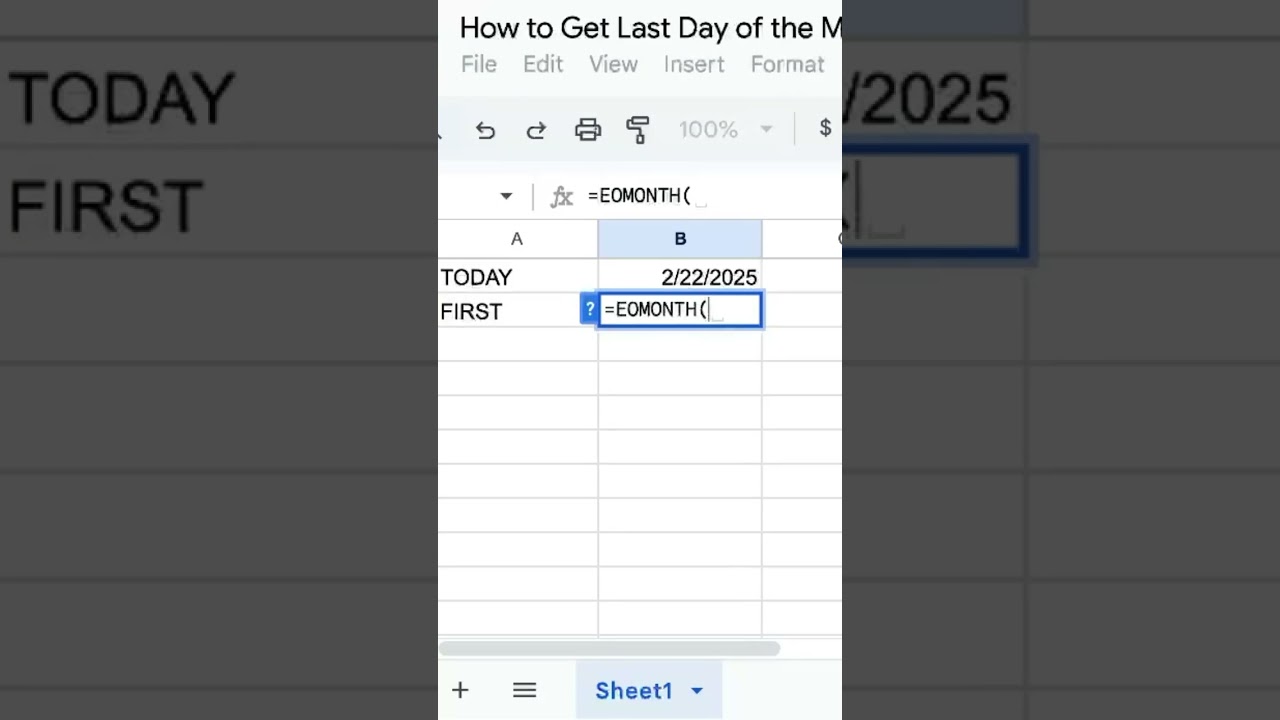
How to Get Last Day of the Month in Google Sheets Quickly
Learn how to quickly find the last day of the month in Google Sheets using the EOMONTH function. This tutorial covers how to adjust the function for different months effortlessly.

How To Copy Tab For Each Google Form Submission
Learn how to automate the process of copying a tab in Google Sheets for each Google Form submission, including how to customize the tab with the submitter's name and a checklist.

How To Create a Google Doc When Google Form Submitted, Automatically
Learn how to automatically create a Google Doc when a Google Form is submitted, streamlining your data collection process with Apps Script.