A research paper starts as tabs. A journal article, a working paper, a survey, a government page, each one open “until I’ve read it”. Then you sit down to write and can’t remember which one had the number you need.
This post keeps research sources in a Google Sheet instead. Each source is saved in one click, with the finding written down next to the link. I set it up on November 12, 2026 with a real question, does working from home hurt productivity, and six real sources.
Here is the short version:
- Get a copy of Link Saver and run its one setup step. It gives you a Save Link button for your bookmarks bar.
- Set the categories to the kinds of source you use, and the statuses to where you are with each one.
- On each source, click Save Link and write the finding in the notes.
- Tick the sources you cite and turn them into a list you can paste into your draft.
If you haven’t set the sheet up yet, the swipe file post walks through setup with screenshots.
Set the categories and statuses
On the SETTINGS tab there are two lists. I changed both.
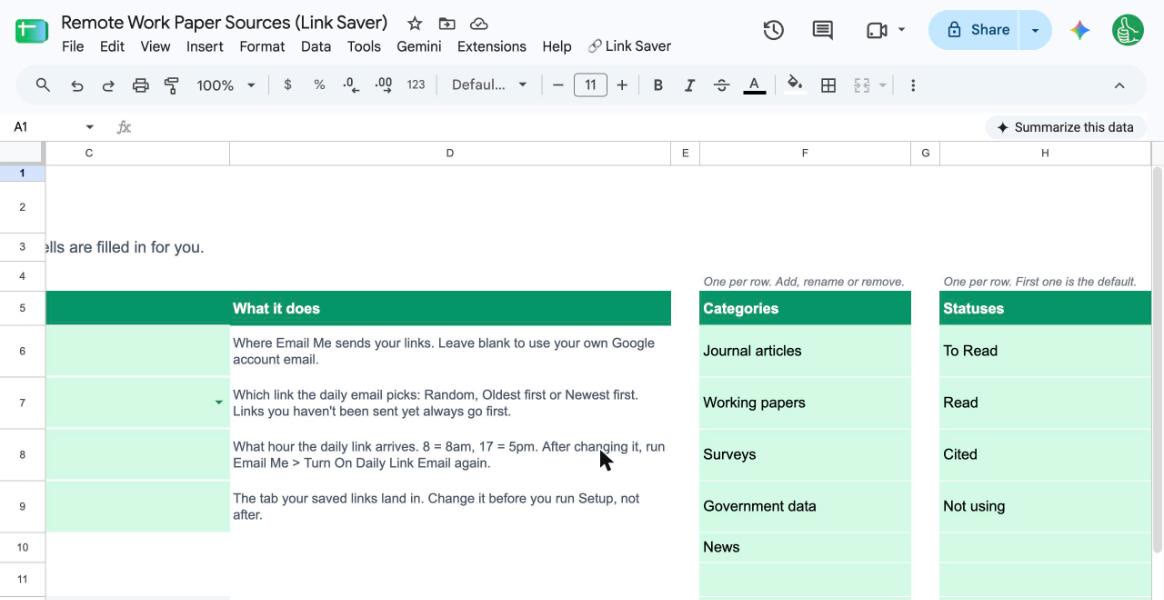
Categories are the kinds of source:
- Journal articles
- Working papers
- Surveys
- Government data
- News
Statuses are where you are with each one:
- To Read
- Read
- Cited
- Not using
The first status is where every new source starts, so everything I save lands as To Read. After changing the categories, click Link Saver → Setup → Update Categories in Form so the Save Link window shows the new list.
Save a source
The first one is a 2024 study in Nature on hybrid work.
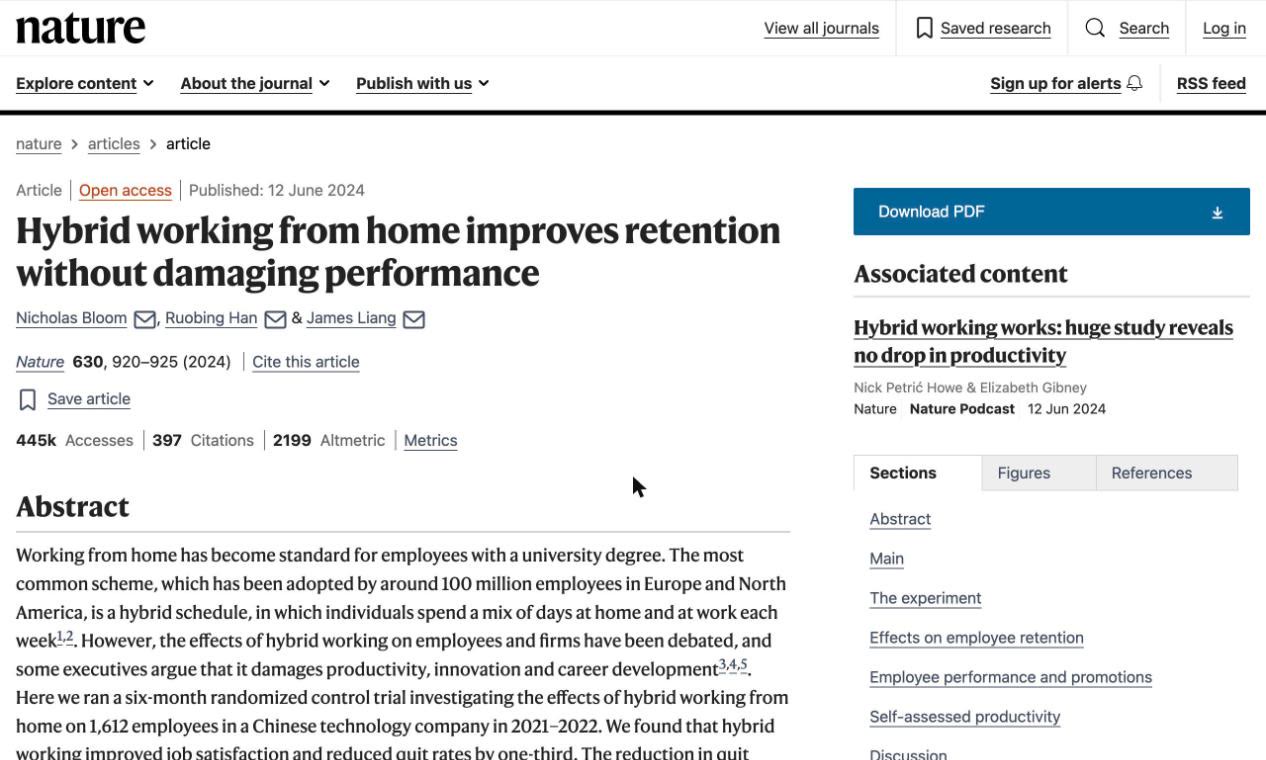
With the article open, click Save Link. The title and URL are filled in. I picked the category, put the author and year in tags, and wrote the finding in notes.
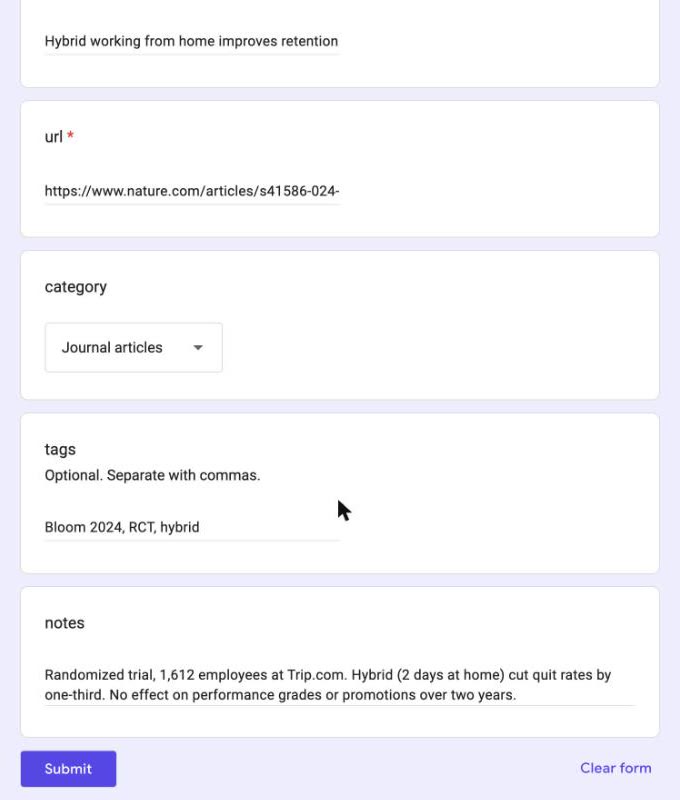
My note says:
Randomized trial, 1,612 employees at Trip.com. Hybrid (2 days at home) cut quit rates by one-third. No effect on performance grades or promotions over two years.
Two habits make this useful later:
- Author and year go in tags. “Bloom 2024” is how you’ll refer to it in the paper, so it’s how you’ll look for it in the sheet.
- The finding goes in notes, with the numbers. Write it while the abstract is in front of you. This is the line you’ll want when you’re drafting.
Six sources later
I saved five more the same way.
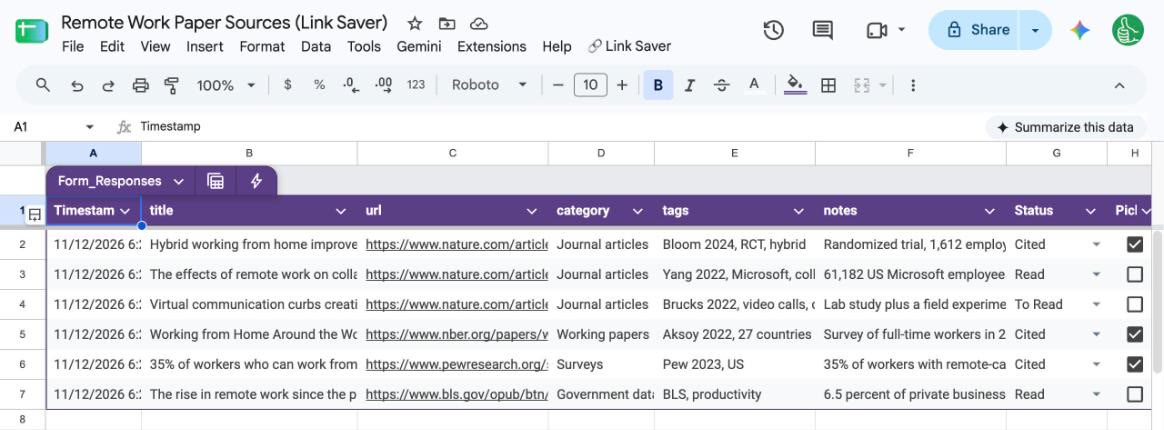
Here is what I saved and what each one says, from its own page on the day I saved it:
- Hybrid working from home improves retention without damaging performance (Nature, 2024). Journal article. Randomized trial of 1,612 employees. Hybrid work cut quit rates by one-third, with no effect on performance grades or promotions over two years.
- The effects of remote work on collaboration among information workers (Nature Human Behaviour). Journal article. 61,182 US Microsoft employees in the first six months of 2020. Firm-wide remote work made collaboration networks more static and siloed.
- Virtual communication curbs creative idea generation (Nature). Journal article. A lab study and a field experiment in five countries. Videoconferencing inhibits the production of creative ideas.
- Working from Home Around the World (NBER). Working paper. A survey of full-time workers in 27 countries. Employers plan 0.7 work-from-home days a week after the pandemic, and workers want 1.7.
- 35% of workers who can work from home now do this all the time in U.S. (Pew Research Center, 2023). Survey. Down from 55% in October 2020, up from 7% before the pandemic.
- The rise in remote work since the pandemic and its impact on productivity (U.S. Bureau of Labor Statistics). Government data. 6.5 percent of private business sector workers worked primarily from home in 2019.
Six rows already show the shape of the argument. The hybrid study and the two fully remote studies don’t agree, and the notes tell you why: they measured different things. One looked at quitting and performance reviews, one at who talks to whom, one at idea generation.
Check each source yourself before you cite it. I wrote down what I needed, not everything the paper says.
Mark what you’ve read and what you cite
As you read, change the Status on each row. In my sheet three are Cited, two are Read and one is still To Read.
When you’re ready to write a section, tick Pick on the sources that section uses. I ticked the three I’m citing. Then click Link Saver → Create Collection from Picked Links and give it a name. I called mine “Section 2 sources”.
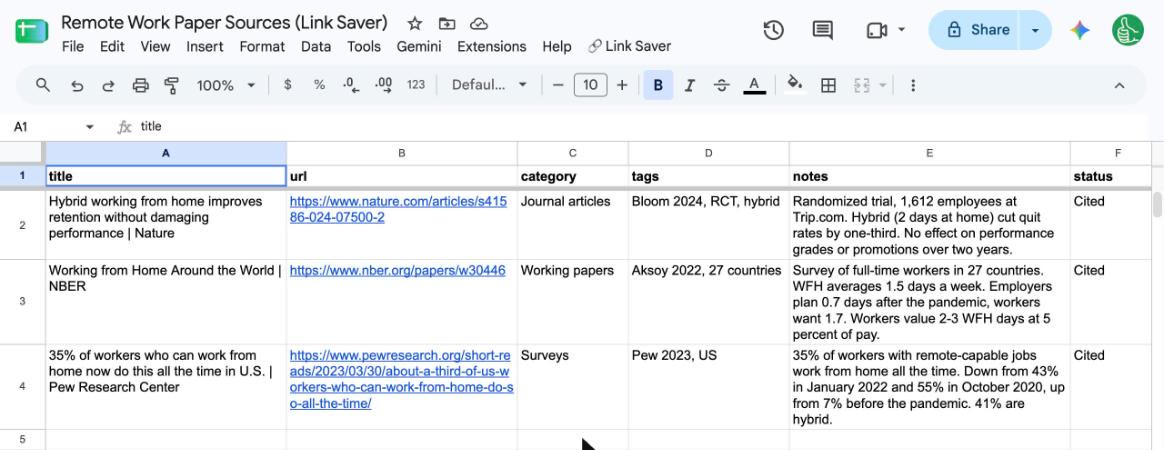
That tab is the source list for one section. All six sources stay on the LINKS tab.
Paste the list into your draft
With the collection tab open, click Link Saver → Export Collection. The OUTPUT tab fills in with the list three ways: plain text, Markdown and HTML.
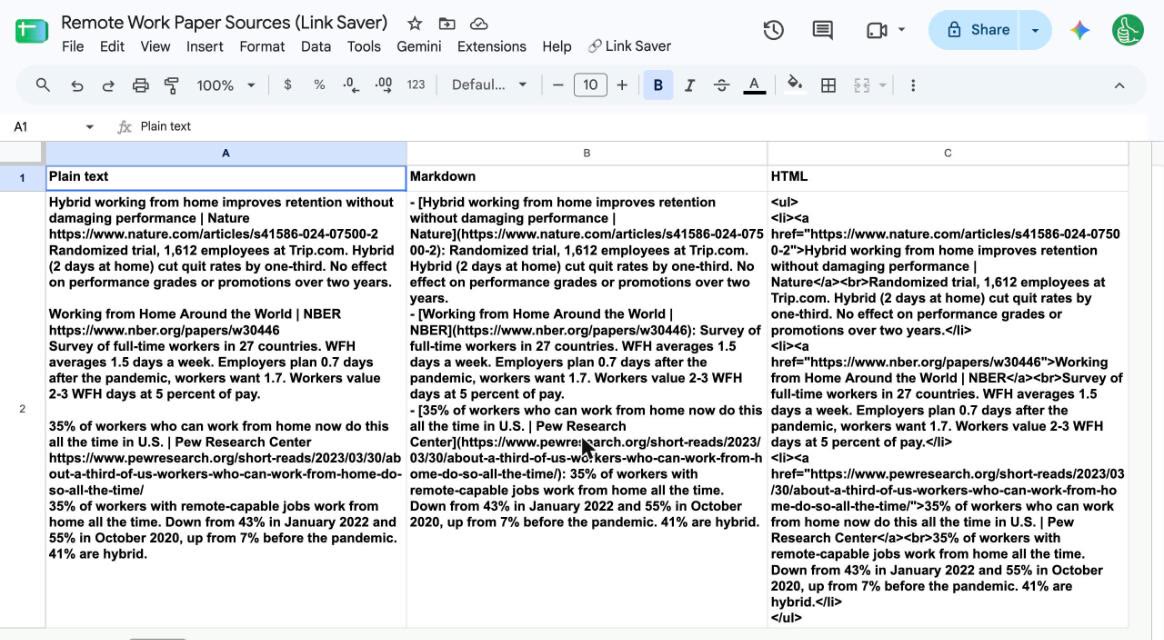
Copy the plain text into your draft, under the section it belongs to. Each source comes with its link and your note, so the finding is right there while you write.
This is a working list, not a formatted bibliography. It won’t make APA or MLA citations. It keeps the link and the finding together until you need them.
Notes if you try this
- Save the page you’d cite, not the news story about it. If an article led you to a study, save the study. Use the News category for the ones that are only news.
- Keep “Not using” rows. When you rule a source out, set the status and say why in the notes. It stops you finding it again in a month and reading it twice.
- Add your own columns. A “Quote” column or a “Page” column to the right of the others won’t break anything.
- The date saved is filled in for you. The first column is when you saved the source, which is the “accessed on” date some citation styles ask for.
- One file per paper. Link Saver → Create New Project makes a fresh, empty copy with its own Save Link button.
Get the sheet
Link Saver is $10, one time. Better Sheets lifetime members get it free.