When you research a topic on YouTube, the list of videos is the research. Which creators cover it, which videos got the views, which ones are new and climbing. YouTube gives you nowhere to keep that list with your own notes on it. Watch Later is one long pile, and a playlist can’t tell you why a video is in it.
This post collects YouTube videos in a Google Sheet instead. I did it on November 11, 2026 with a topic I picked because it has a lot of creators: sourdough bread for beginners. Seven videos from four searches.
Here is the short version:
- Get a copy of Link Saver and run its one setup step. It gives you a Save Link button for your bookmarks bar.
- Set your categories to the parts of the topic.
- On each video worth keeping, click Save Link. Put the creator in tags and the numbers in notes.
- Change the status on the ones worth watching, and pull them into their own list.
If you haven’t set the sheet up yet, the swipe file post walks through setup with screenshots.
Set the categories to the parts of your topic
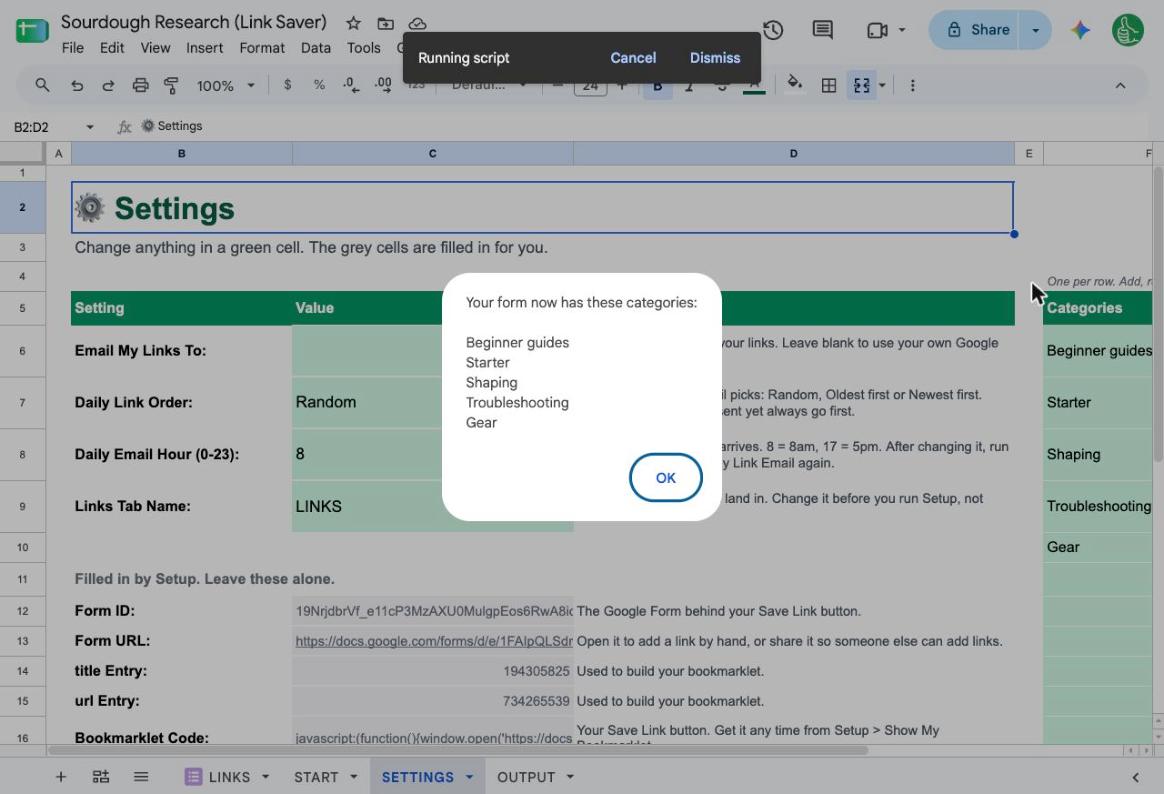
Categories are the dropdown you pick from when you save a video. For a topic, use the parts of the topic. For sourdough I went with:
- Beginner guides
- Starter
- Shaping
- Troubleshooting
- Gear
Type them on the SETTINGS tab, one per row. Then click Link Saver → Setup → Update Categories in Form so the Save Link window shows the new list.
If you are researching creators more than a topic, make the categories the kinds of video they make: tutorials, reviews, vlogs, shorts.
Save a video
I searched YouTube for “sourdough bread for beginners” and opened one of the top results.
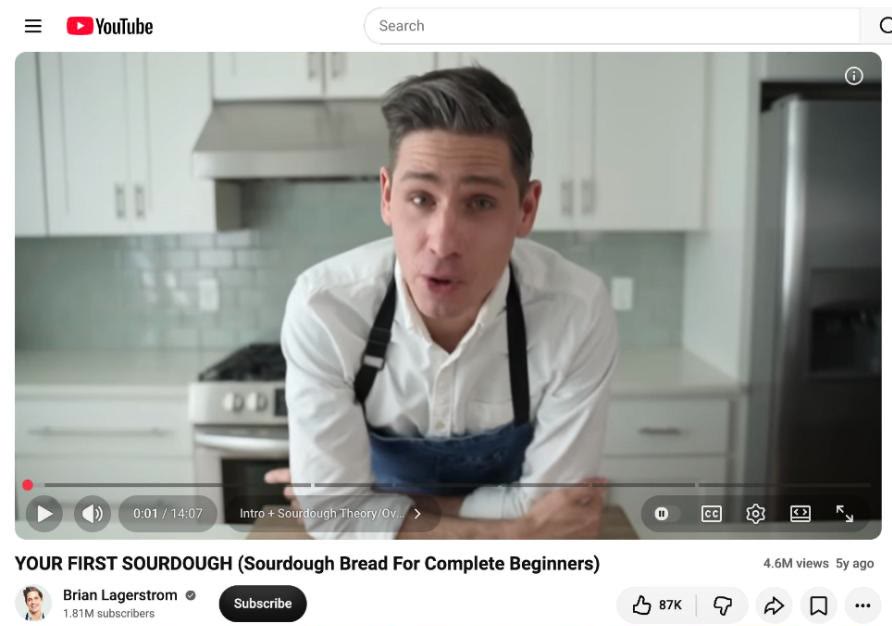
With the video open, click Save Link. The title and the URL are already filled in. I picked a category, put the creator’s name in tags, and wrote the numbers in notes.
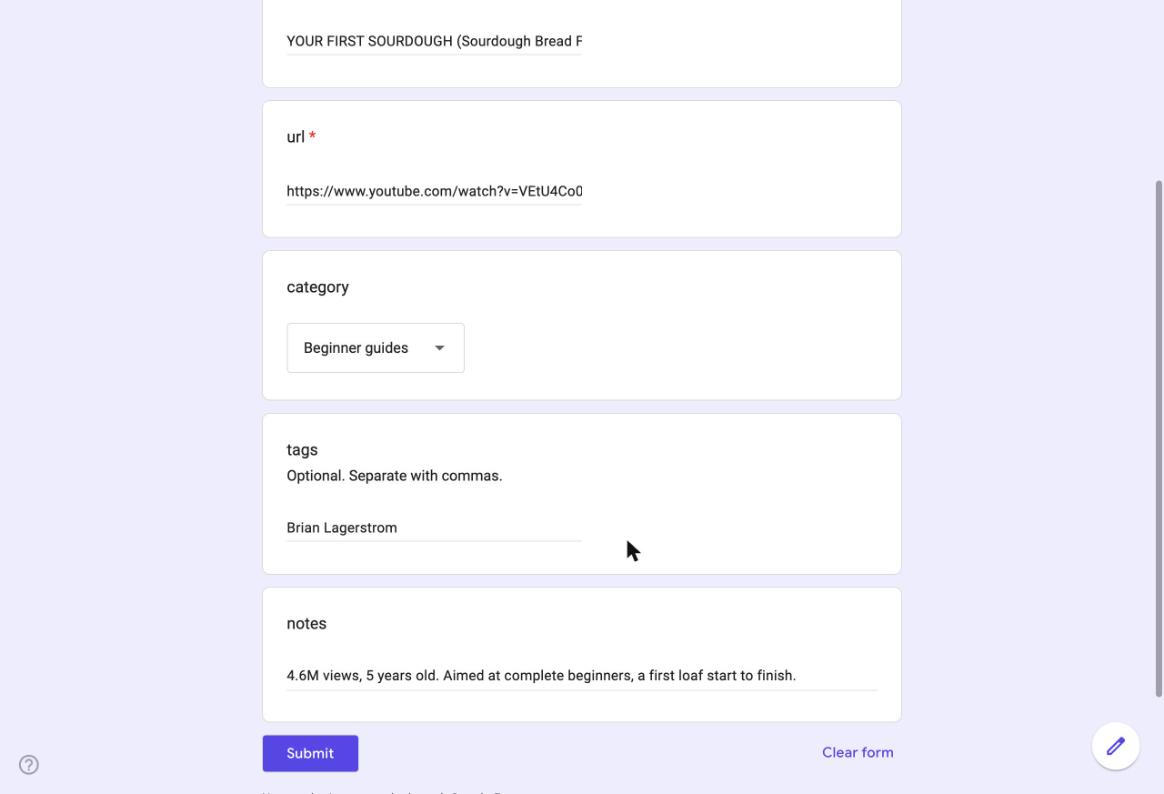
Two habits make the list useful later:
- Creator goes in tags. Then you can filter the sheet to one creator and see everything of theirs you saved.
- Views and age go in notes. “4.6M views, 5 years old” tells you something a link can’t. A video with 760K views in 9 months is a different thing from one with 743K in 6 years.
Submit, close the tab, next video.
Seven videos later
I ran three more searches: “sourdough starter from scratch”, “how to shape sourdough” and “why is my sourdough dense”. I saved the ones that stood out from each.
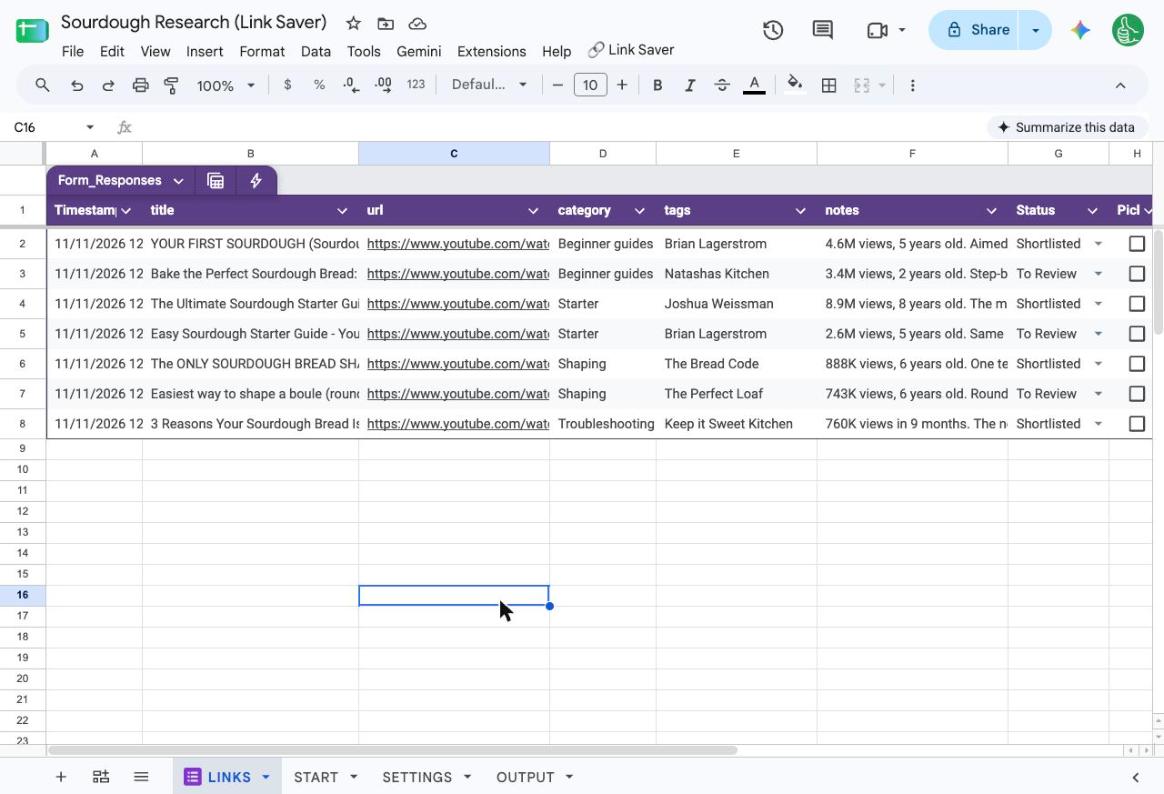
- YOUR FIRST SOURDOUGH (Sourdough Bread For Complete Beginners) by Brian Lagerstrom. Beginner guides. 4.6M views, 5 years old.
- Bake the Perfect Sourdough Bread: A Step-by-Step Guide by Natashas Kitchen. Beginner guides. 3.4M views, 2 years old.
- The Ultimate Sourdough Starter Guide by Joshua Weissman. Starter. 8.9M views, 8 years old.
- Easy Sourdough Starter Guide by Brian Lagerstrom. Starter. 2.6M views, 5 years old.
- The ONLY SOURDOUGH BREAD SHAPING Tutorial You Will Ever Need by The Bread Code. Shaping. 888K views, 6 years old.
- Easiest way to shape a boule (round) for bread by The Perfect Loaf. Shaping. 743K views, 6 years old.
- 3 Reasons Your Sourdough Bread Is Flat by Keep it Sweet Kitchen. Troubleshooting. 760K views, 9 months old.
Seven rows is already enough to see a few things:
- Starter guides get the most views. The two starter videos have 8.9M and 2.6M. The two shaping videos have 888K and 743K.
- One creator shows up twice. Brian Lagerstrom has a beginner loaf and a starter guide, and the loaf video’s pinned comment links to the starter one. He made them as a pair.
- Most of this is old. Five of the seven are 5 years old or more. The newest one, 9 months old, is the only troubleshooting video I saved, and it already has more views than a 6 year old shaping video.
I didn’t save anything under Gear. None of the four searches turned up a gear video worth keeping, and an empty category is fine.
Shortlist the ones worth watching
Every saved video starts with the status To Review. As I went back through the list, I changed four of them to Shortlisted, one for each part of the topic, and ticked Pick on those four.
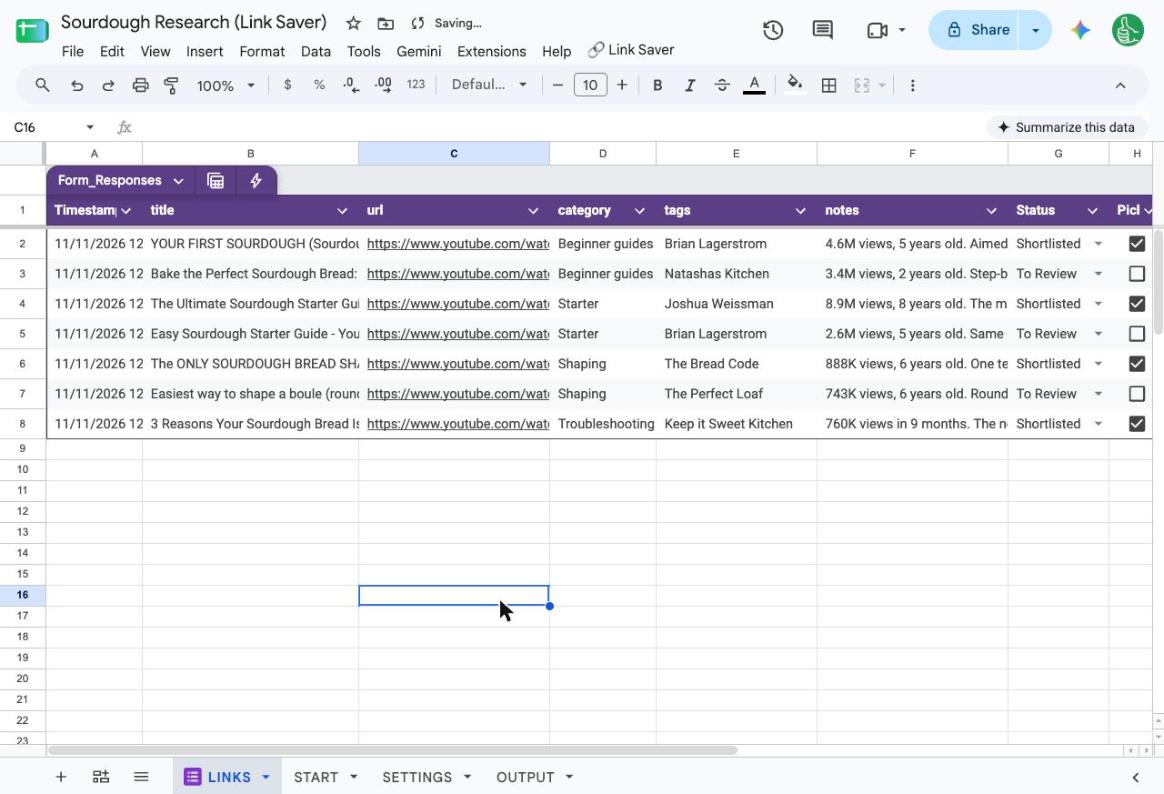
Then Link Saver → Create Collection from Picked Links, and a name: “Watch first”.
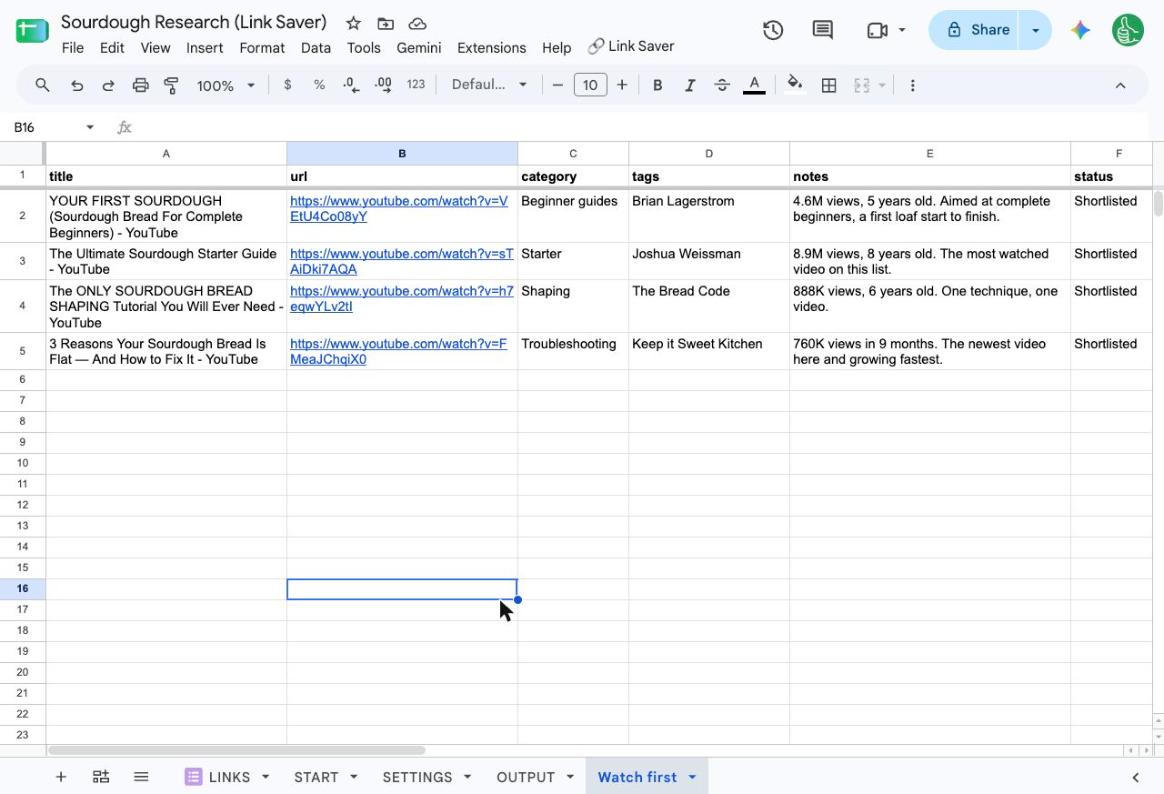
That tab is the watch list. The other three videos are still on the LINKS tab if I want them.
Notes if you try this
- You don’t have to watch a video to save it. Save from the first few seconds, or straight after opening it. The point is to capture the list first and watch later.
- YouTube adds “ - YouTube” to every title. It’s harmless. Delete it in the form before you submit if it bothers you.
- Views go stale. The numbers in my notes are from the day I saved them. If you care about growth, save the date too. The sheet already does: the first column is when you saved it.
- Use Status for where you are with each video. To Review, Shortlisted, In Use and Done come with the sheet. You can change them on the SETTINGS tab to whatever fits: Watched, Reached out, Passed.
- One file per topic. Link Saver → Create New Project makes a fresh, empty copy with its own Save Link button.
Get the sheet
Link Saver is $10, one time. Better Sheets lifetime members get it free.
