Guest post by Ivan Trefilov. Ivan is an off-page SEO and GEO strategist for B2B SaaS. Want to write for Better Sheets too? Here's how guest posts work.
A list of websites can give you two numbers at once. My vetted list of target pages says 437 in the working spreadsheet, and the CSV of the same list says 429. And neither one is the number of sites on it. For that you need a third count, and Google Sheets can give it to you in three columns.
This post builds that check. You pull the root domain out of each URL, count unique roots next to the row count, and match two lists on the root. Link prospects, pitch targets, leads, partners, whatever the list holds, the trap is the same one.
Short version first
A root domain is basically what you'd pay a registrar for, so example.com and not blog.example.com. Three columns do the job. URL goes in A, host in B, root in C. Up top, one cell counts rows with COUNTA and the next one counts sites with COUNTUNIQUE on column C.
Same number twice means no site shows up more than once. A smaller site count means some sites are in there two or three times. And when two lists don't agree, compare column C, because comparing full URLs won't tell you much.
Why rows are not sites
In my own checker, a link on any page of a domain marks the whole root. So blog.example.com/tips and example.com/pricing are two rows but one site. I learned this on lists of websites for off-page SEO, where duplicates hide in subdomains. That's why my checker turns every link into its root first, subdomains too, and only then counts.
MDN's explainer reads a domain name right to left, label by label, with dots in between. The bit just before the ending is what MDN calls the secondary level domain, and anything further left, like blog., is a subdomain. MDN also gives informatics.ed.ac.uk as a valid name with four labels, which is where simple formulas start to slip. More on that below.
Let's try it on five rows from a list.
example.com/pricing
blog.example.com/tips
www.example.com
shop.example.co.uk
news.example.co.uk/today
COUNTA says 5. A simple root rule says 2 sites: example.com and co.uk. The fix later in this post also says 2, but now they're the right two: example.com and example.co.uk. So the first count was right only by luck.
Build the check, step by step
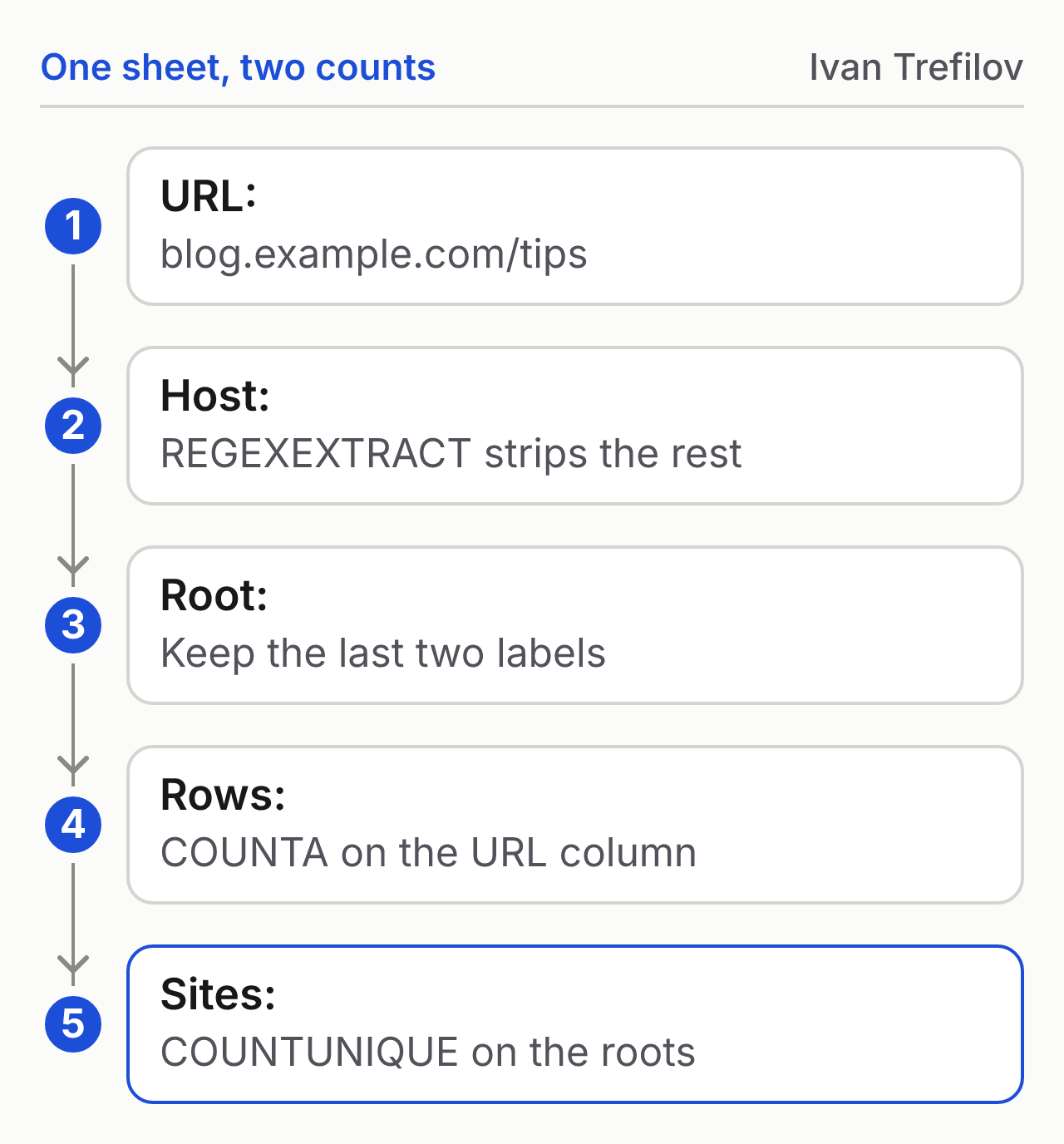
1. Get the host. So in B2 we keep only the host. No https in front, no www, and nothing after the first slash. This formula does it:
B2: host
=REGEXEXTRACT(LOWER(A2),"^(?:[a-z]+://)?(?:www\.)?([^/:?#]+)")
What's inside the parentheses, people call it a capture group. REGEXEXTRACT returns only that part. Row two comes out as blog.example.com.
2. Get the root. C2 takes only the last two labels:
C2: root
=REGEXEXTRACT(B2,"[^.]+\.[^.]+$")
Feed it blog.example.com and you get example.com back.
3. Fill the column once. Copying B2 down by hand gets old fast, so wrap step 1 in ARRAYFORMULA and new rows fill in on their own:
B2: host for the whole column
=ARRAYFORMULA(IF(A2:A="",,REGEXEXTRACT(LOWER(A2:A),"^(?:[a-z]+://)?(?:www\.)?([^/:?#]+)")))
4. Count both ways. Put these two in cells next to each other:
Rows
=COUNTA(A2:A)
Sites
=COUNTUNIQUE(C2:C)
Write a label over each one. A month later you won't remember which number was which.
For the actual list of sites, not just the count, run UNIQUE on column C.
Where the two-label rule breaks
A suffix here is the ending people register names under, like .com or .co.uk. The rule fails on endings like co.uk, where only third-level registrations are allowed. The Public Suffix List exists for exactly this case with co.uk, and it says "the only method is to create a list". No formula can know every ending.
But a working sheet doesn't need every ending. Only the ones that turn up in your list. So keep your own short list: make a tab called Suffixes and put the two-part endings you run into down column A, co.uk, com.au and so on. Then take three labels when the host ends in one of them:
C2: root, using your Suffixes tab
=IF(COUNTIF(Suffixes!A:A,REGEXEXTRACT(B2,"[^.]+\.[^.]+$")),REGEXEXTRACT(B2,"[^.]+\.[^.]+\.[^.]+$"),REGEXEXTRACT(B2,"[^.]+\.[^.]+$"))
Then sort column C and read the shortest roots. A root like co.uk on its own means the Suffixes tab is missing an ending.
Match two lists on the root
The Name Match tutorial covers "comparing two lists to find out what's missing from one", writes Andrew Kamphey, who makes Better Sheets. It does that for names. Websites need one more step, because the same site can arrive as five different URLs. Cut out the root first, then match.
Give both lists the three columns. In the new list, add:
New list: match on the root
=XLOOKUP(C2,Other!C:C,Other!D:D,"New")
When the site is on the other list, it pulls whatever column D holds there, like a date or an owner. The fourth argument matters: Google Docs Editors Help says XLOOKUP returns #N/A by default when nothing matches, and "New" is easier to filter than an error.
How I keep two counts on purpose
My checker, rebuilt daily, keeps two denominators on purpose, and what follows is the method, not a result. A denominator here is the list I count against. The full list of sites where we already have links answers "do we already link here?". The curated 429 vetted pages answer "is this still worth buying?". Those are different questions. So I don't let one number answer both.
Your sheet can do the same. Write each number at the top with the question it answers. When someone signs off "200 sites", they should know whether that means rows, roots or roots on the vetted list. And if two files give two counts, as 437 and 429 do for my list, name both.
FAQ
Why not use Remove duplicates?
On column A, Remove duplicates sees two different URLs, so two pages from one site both stay. Use it on column C instead. For near matches and typos, see Discover Misspelled Duplicates.
Does www count as a subdomain?
Technically yes. But our host formula cuts the www off, so both of them, with www and without, end up as one root.
What about URLs with no https in front?
In the host formula the https part is optional. So example.com/page gives you the same host either way.
Does this work on lead or pitch lists?
Yes. A Google Sheets CRM for leads, a list of local businesses or a sheet of pitch targets can all hold the same site twice. Add the three columns before you count anything.
About the author
Ivan Trefilov
Ivan Trefilov is an off-page SEO and GEO strategist for B2B SaaS, with six years in SEO, including a year in-house running off-page SEO for two B2B SaaS brands. He builds Google Sheets checks for the lists he works from. You can find him on LinkedIn.
This is a guest post. Read about guest posts on Better Sheets.
