
The sheet in this post is Dark Habits, a $10 Google Sheet (free for lifetime members). If you want to track a habit you’re building, the free one is Track Anything at bettersheets.co/habits.
When I stopped drinking, what helped most was a tiny tracker in Telegram called 0%: every day I didn’t drink, I tapped a button, and it showed me how long my streak was. That’s all it did, and it worked.
I wanted the same thing for everything else I wanted to quit. So I built it in Google Sheets and called it Dark Habits. In the video where I walk through it I said: “In the first two weeks I felt completely different. I did not want to break the streak.”
Here’s how a streak tracker works in a sheet, tab by tab.
TL;DR
- List the habits you want to stop. Give each one an emoji and a goal (14 days by default).
- Every day you didn’t do it, tick its box. No tick means you did.
- A DATA tab logs every tick with the date. A Past 2 Weeks tab shows the last 14 days.
- The Streaks tab draws each streak with one formula:
REPTrepeats your emoji once per clean day, then fills the rest of the 14 with blanks.
Why count the days you didn’t
A habit tracker for something you’re building counts the days you did it. For something you’re breaking, flip it. The win is a day without it.
That changes the question you ask yourself each night from “did I mess up?” to “can I tick the box?”. You want to tick the box.
Step 1: Start here
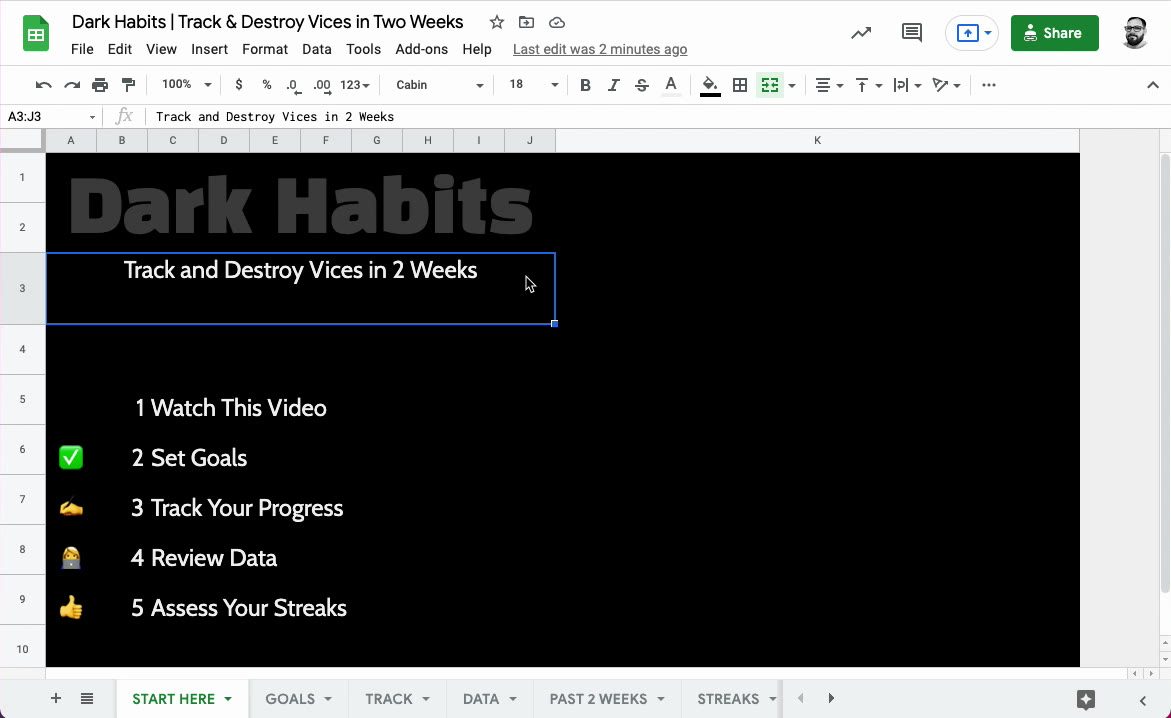 1. The Start Here tab.
The whole sheet is five steps: set goals, track your progress, review the data, assess your streaks. One tab for each.
Step 2: Set your goals
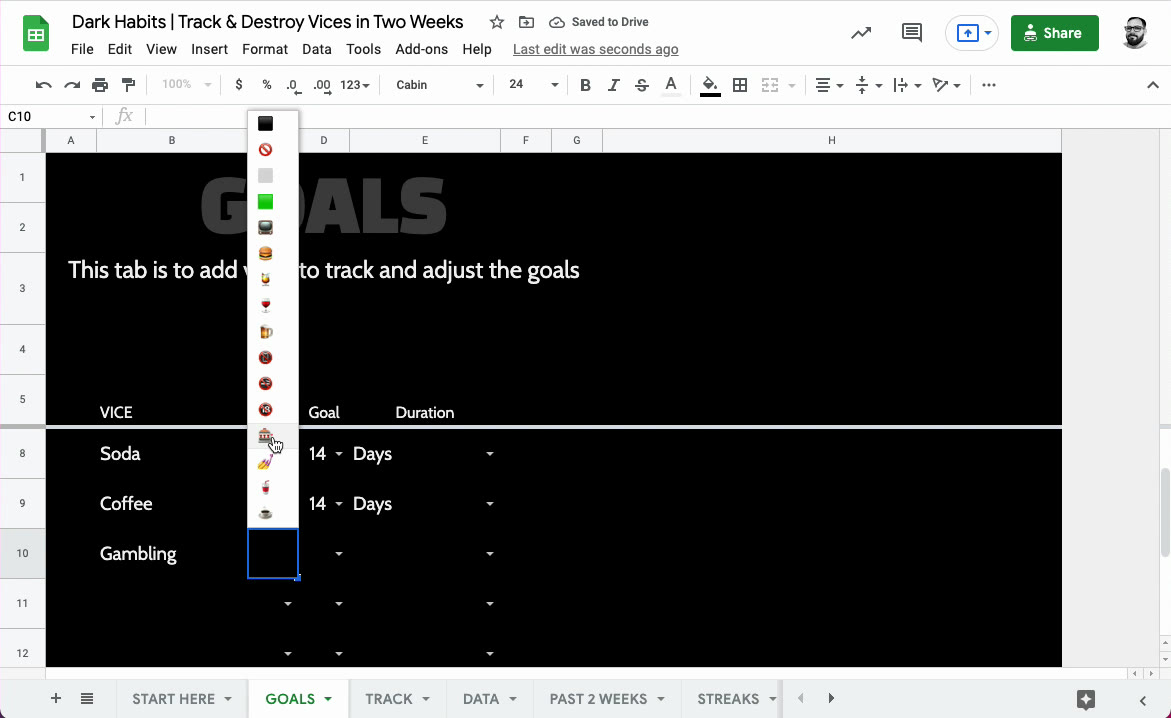 2. The Goals tab: each vice gets an emoji and a goal.
Write down what you want to stop. Alcohol, soda, coffee, gambling, biting your nails, scrolling in bed. Pick an emoji for each one from the dropdown, and set a goal. The default is 14 days, because two weeks is long enough to feel different and short enough to believe you can do it.
Step 3: Track each day
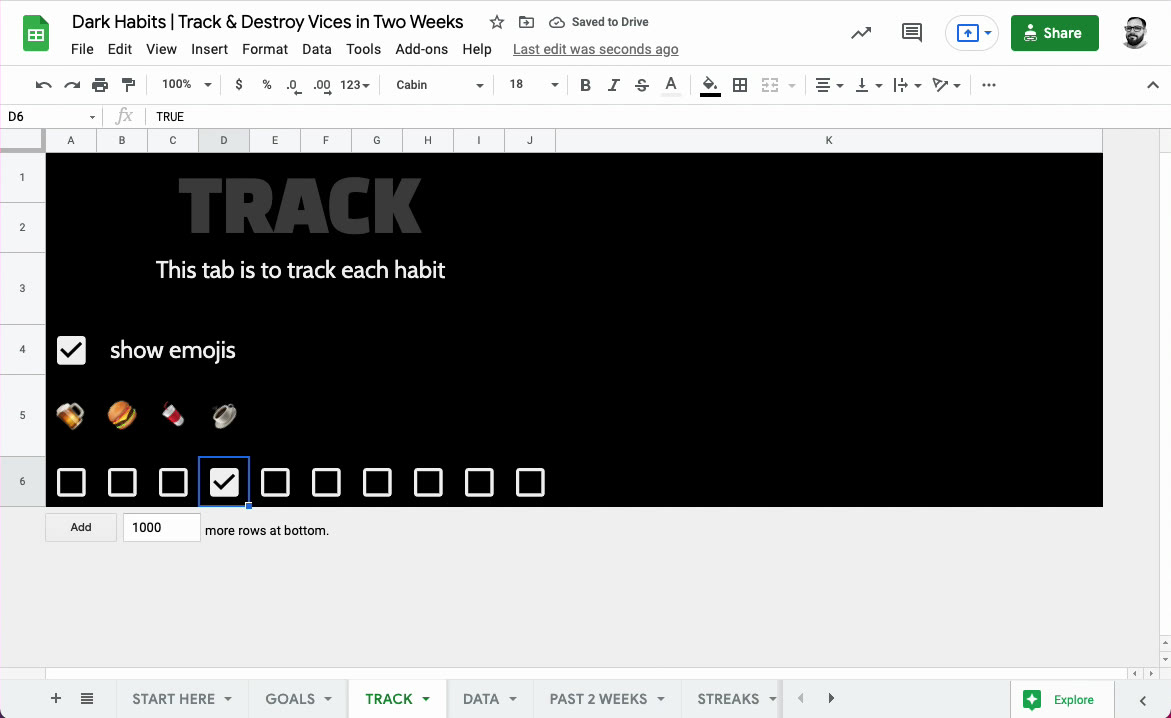 3. The Track tab: one checkbox per vice.
Each vice has its emoji and a checkbox. Tick the box on a day you didn’t do it. Tick it twice on the same day and it only counts the date once.
Step 4: The data is a log
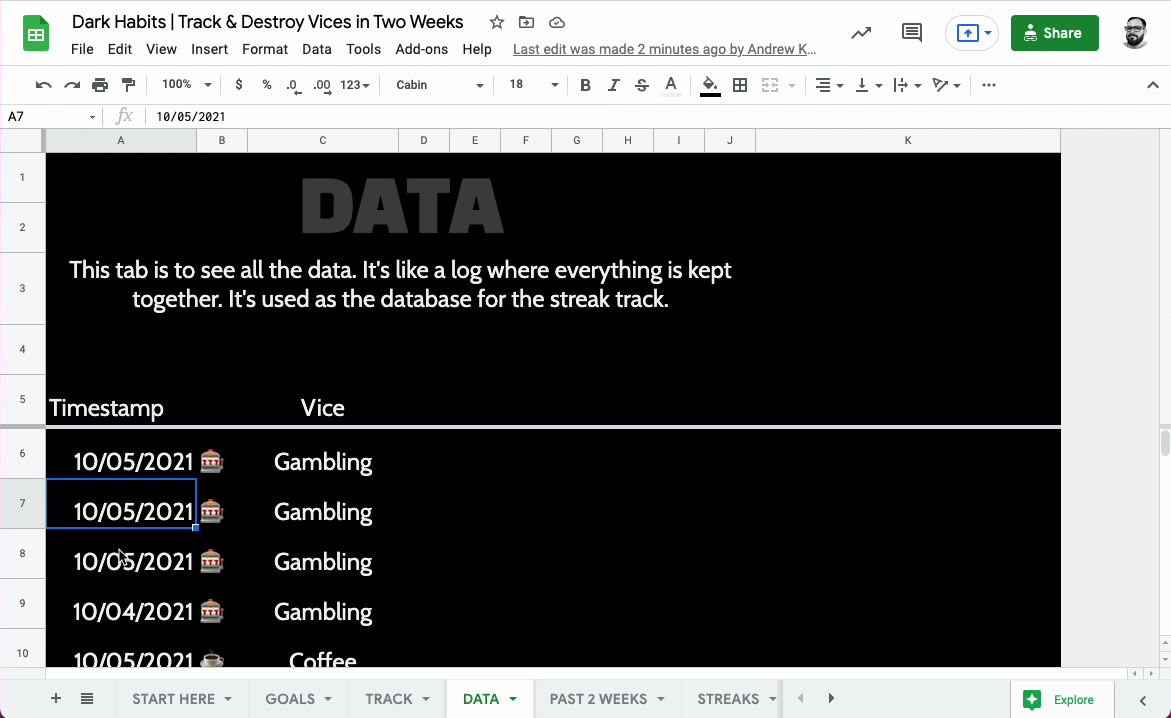 4. The Data tab: every tick, with its date.
Every tick goes into the Data tab as a row: the date and the vice. It’s the database for everything else. Nothing on the other tabs is typed by hand.
Step 5: Review the last two weeks
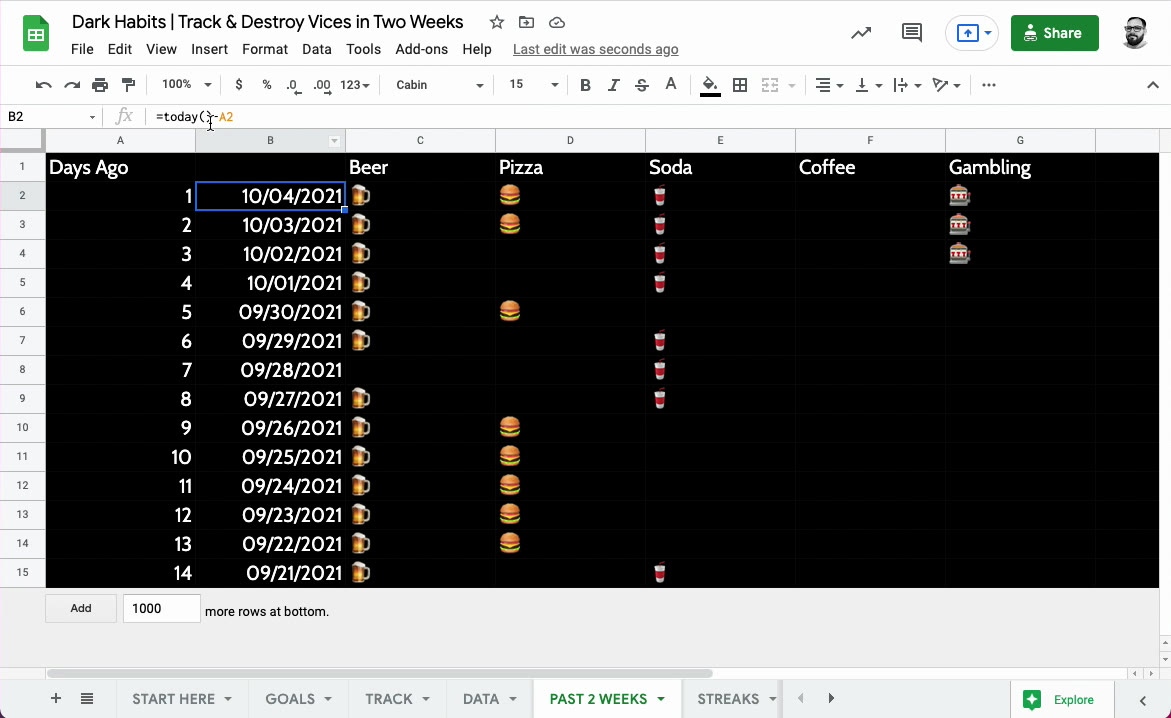 5. Past 2 Weeks: one row per day, one column per vice.
The Past 2 Weeks tab lays out the last 14 days, newest on top, with a column per vice. An emoji in a cell means a clean day. Gaps jump out: you can see the exact days a habit slipped.
Each column is a FILTER on the Data tab: find the rows for this vice on this date.
Step 6: Draw the streak
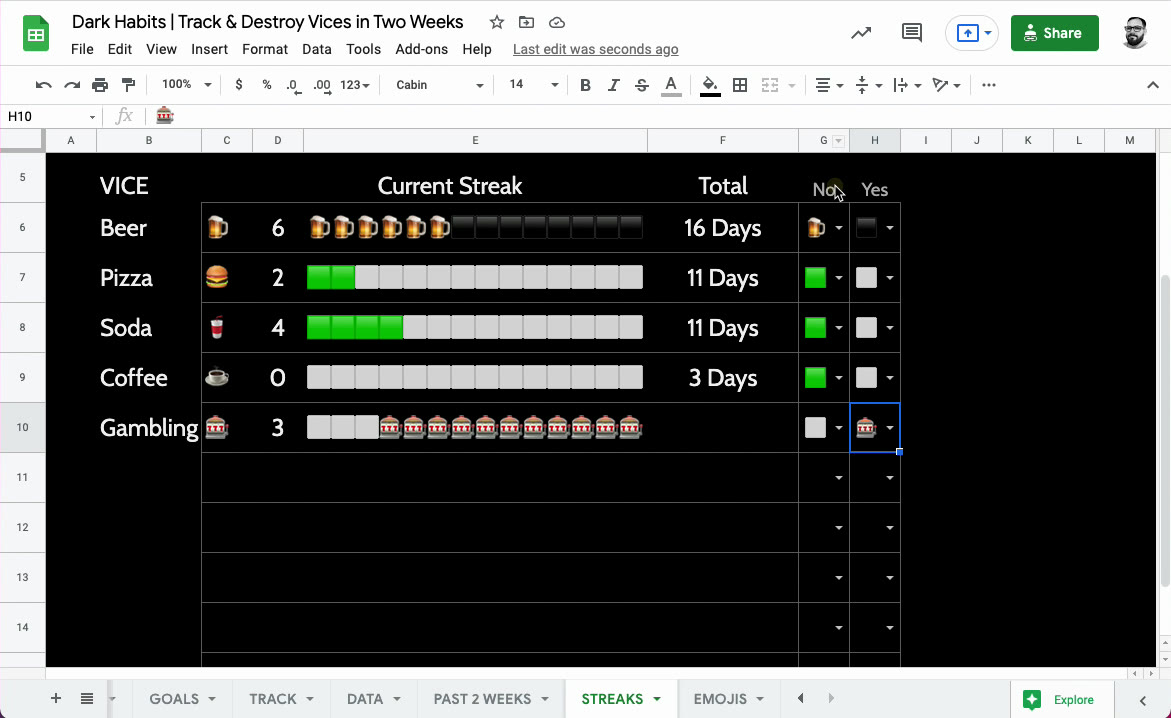 6. The Streaks tab: the current streak as a bar toward 14 days.
This is the fun part. For each vice, the sheet counts the current streak (Beer is on 6) and draws it as a bar of 14 squares:
=IF(ISBLANK(B6),,REPT(CHAR(CODE(G6)),D6)&REPT(CHAR(CODE(H6)),14-D6))
In plain words: repeat the “yes” emoji (G6) once for every day of the streak (D6), then repeat the “no” emoji (H6) for the days left to reach 14. Six beers and eight blanks is a streak of 6 out of 14.
You choose both symbols in the Yes and No columns. A green square and a grey one, or the vice’s own emoji. The Total column counts every clean day, not just the current streak, so a slip doesn’t wipe out your history.
Common pitfalls
- Ticking the wrong way round. A tick means a clean day. If you tick the days you slipped, every streak is backwards.
- A blank goal. A vice without a goal can’t draw its bar. Give every row a number of days.
- Too many vices at once. Two or three is plenty. The point is to feel the streak, not manage a spreadsheet.
Building a habit instead of breaking one?
Then you want the opposite: count the days you did it. That’s Track Anything, a free habit tracker that fills in a GitHub-style year grid, one click a day. Here’s how it works.
Get Dark Habits
Dark Habits is $10, and free for lifetime members. Get it on the habits page.
Want to build one yourself? I made it on camera: Build a habit tracker in dark mode covers the idea and the colors, and Inside the Dark Habits script goes through the Apps Script. Both are in the Better Sheets membership.
FAQ
How do I count a streak in Google Sheets?
Keep a log of dates, one row per clean day. Count back from today until the first missing date; that’s the streak. Dark Habits does this for you and draws it with REPT.
How long should a streak goal be? Dark Habits defaults to 14 days. You can change each goal on the Goals tab.
What if I slip? The current streak starts again, and the Total keeps every clean day you’ve had.
Can I use emojis in Google Sheets formulas?
Yes. CHAR(CODE(A1)) turns the emoji in A1 back into a character you can repeat with REPT.


