Free images for commercial use, with the license written next to each one
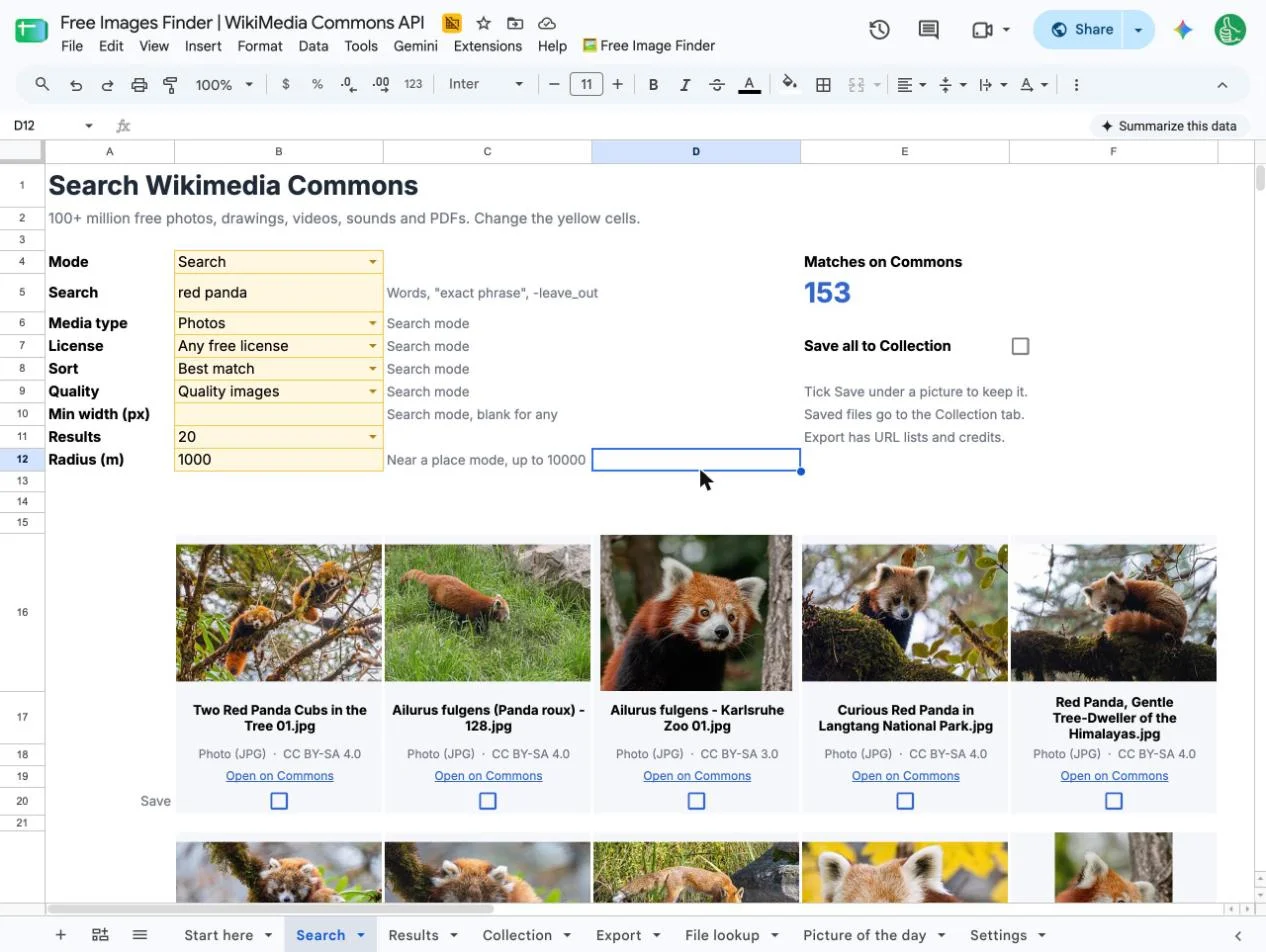
Free Image Finder searches over 100 million free photos, drawings and videos from a Google Sheet. Tick the ones you want and download them all at once. It runs on the free Wikimedia Commons API.
Free with a free account.
"Can I actually use this picture?"
That's the real question behind every image search. A picture is easy to find. Knowing it won't get you a copyright claim is the hard part, and so is writing the credit.
This sheet answers it on every row: the license, whether you need to give credit, and the credit line, ready to paste.
Search, tick, download
-
1
Type what you need
"red panda", "botanical illustration", "Tokyo at night". Pick photos, videos or drawings, and public domain only if you want no credit at all.
-
2
Tick the ones you like
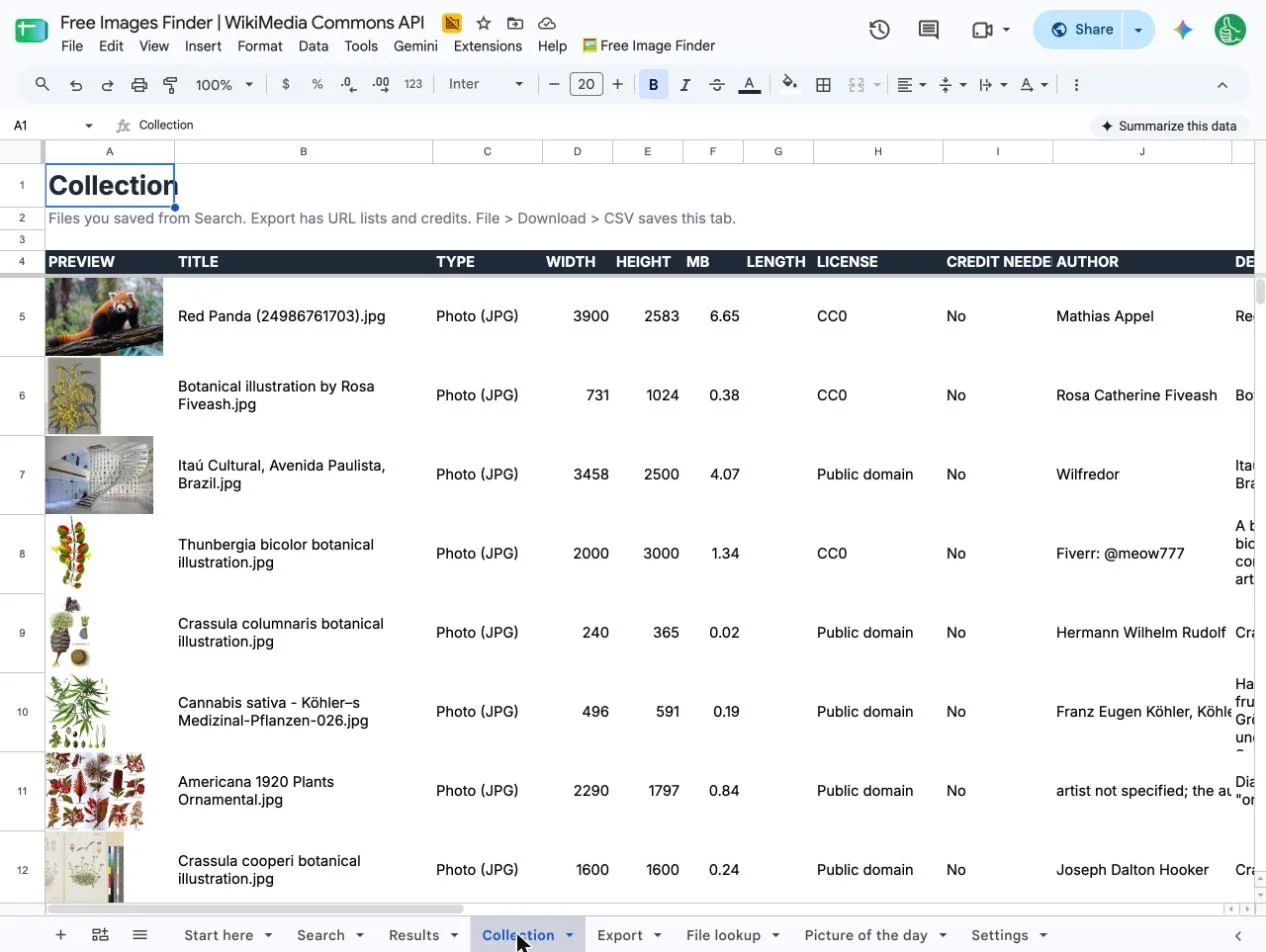
Results show up as a picture gallery right in the sheet. Tick Save on a card, or Save all, and it goes to your Collection.
-
3
Export them
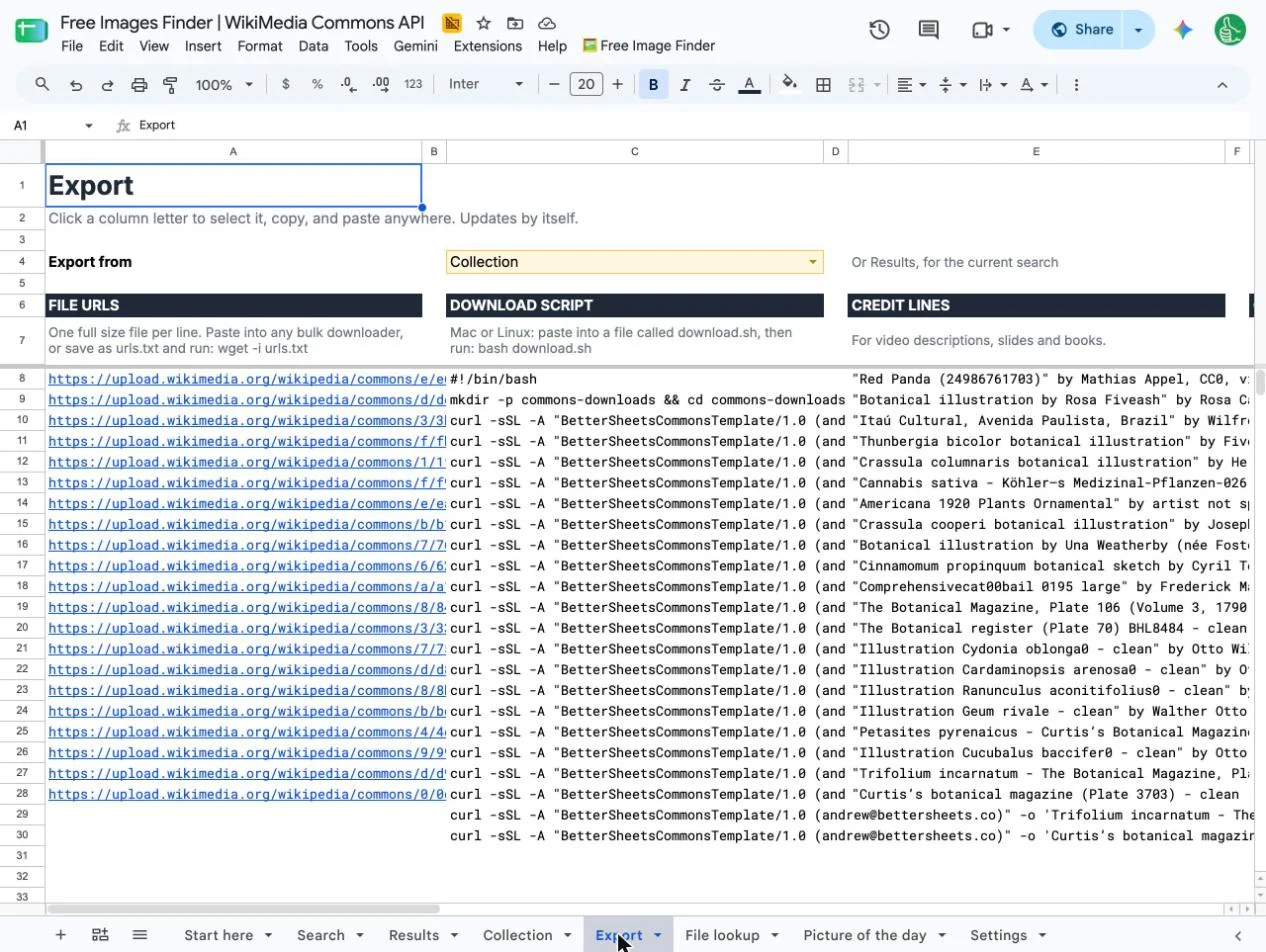
Get every file URL, a script that downloads them all to one folder, and the credit lines, plain or as HTML for your website.
Public domain, no credit needed
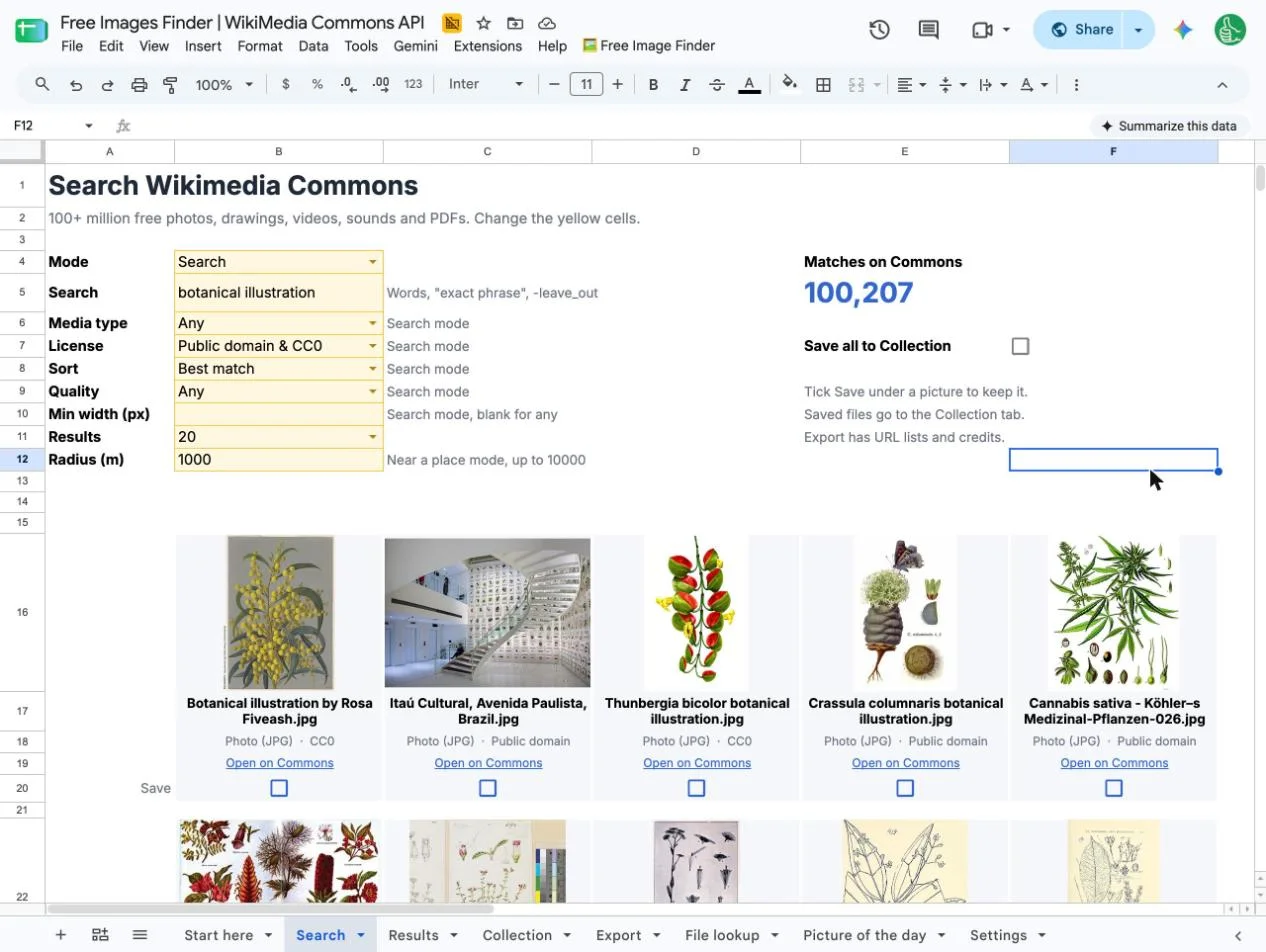
Set License to "Public domain & CC0" and every result is free of copyright. Search botanical illustrations and you get thousands of them: old plates, seed catalogs and scientific drawings.
Use them on prints, products, covers and courses without writing a credit line.
What people find with it
Free images for your business
Blog headers, slides, social posts, product pages. Every result is free to use commercially, and the sheet tells you exactly what credit to give.
Public domain art and illustrations
Old paintings, vintage botanical drawings, maps and posters with no copyright left. Set one dropdown and every result needs no credit.
Free B-roll and stock video
Real footage of cities, animals, space and history for your YouTube videos and Reels. Not stock, not AI.
Bulk image downloads
Save 50 or 500 files in one go. On a Mac, the download script puts them all in one folder with nothing to install.
Real pictures, not AI
The real building, the real bird, the real historical moment. When a made-up picture won't do.
Pictures for teachers and students
Real photos for worksheets, slides and reports, with the credit line already written.
What's in the sheet
Search tab
A picture gallery of up to 100 results, with filters for media type, license, quality, sort, minimum width and how many results.
Three ways to search
By words, by Commons category, or near a place: paste coordinates from Google Maps and see what was photographed there.
License on every row
LICENSE, CREDIT NEEDED, AUTHOR and a ready CREDIT LINE for each file, plus its size, width, height and length.
Collection tab
Everything you saved, with a preview and the date you added it.
Export tab
File URLs, thumbnail URLs, a download script, credit lines, and HTML credits for a website.
Picture of the day
Wikimedia's picture of the day for any date, with its caption.
File lookup
Paste any Commons file name or link and get its license, author and full-size URL.
Formulas you can reuse
=COMMONS("red panda") works in any cell, along with COMMONSCATEGORY, COMMONSNEAR, COMMONSFILE and COMMONSPOTD.
This sheet, a stock site, or AI?
| This sheet | Stock photo sites | AI image generators | |
|---|---|---|---|
| Real places, people and history | Yes | Some | No, it's made up |
| License shown per picture | Yes, every row | One site license | Unclear |
| Credit line written for you | Yes | No | No |
| Download many at once | Yes, one script | One at a time | One at a time |
| Public domain art and old maps | Millions | Few | No |
| Price | Free | Free or paid | Often paid |
Questions
Are these images really free for commercial use?
Every file on Wikimedia Commons is under a free license or in the public domain, so you can use it for business. Most licenses ask for a credit line. The sheet shows the license on every row and writes the credit line for you.
Which images need no credit at all?
Set License to "Public domain & CC0". Every result is then public domain or CC0, and the CREDIT NEEDED column says No.
How do I credit a Wikimedia Commons image?
Copy the CREDIT LINE column: title, author, license and a link, already written. The Export tab also gives you HTML credits to paste at the bottom of a blog post.
Can I download all the images at once?
Yes. Tick Save on the pictures you want, or Save all, and they go to the Collection tab. The Export tab turns them into a list of file URLs and a download script that saves every file to a folder on a Mac or Linux computer. On Windows, paste the URL list into any bulk downloader. No app needed on a Mac.
Does it find videos too?
Yes. Set Media type to Videos for free B-roll: real cities, wildlife, space launches and old film. It also finds GIFs, drawings and SVGs, audio, and PDFs and scanned books.
Is the sheet free?
Yes. Make a free Better Sheets account and copy it to your Google Drive. The Wikimedia Commons API is free too, with no key and no sign-up.
Why not Unsplash, Pexels or an AI image?
Stock sites have polished stock. AI makes up pictures. Commons has the real thing: the real Eiffel Tower, a real 1890s seed catalog, a real NASA launch, a museum's painting, a map from 1700.
Does it work in Excel?
No. The searching is Apps Script, which only runs in Google Sheets.
Find your first free picture
Your own copy in Google Drive. Type a word, and the gallery fills in with pictures you're allowed to use.
Free with a free account.
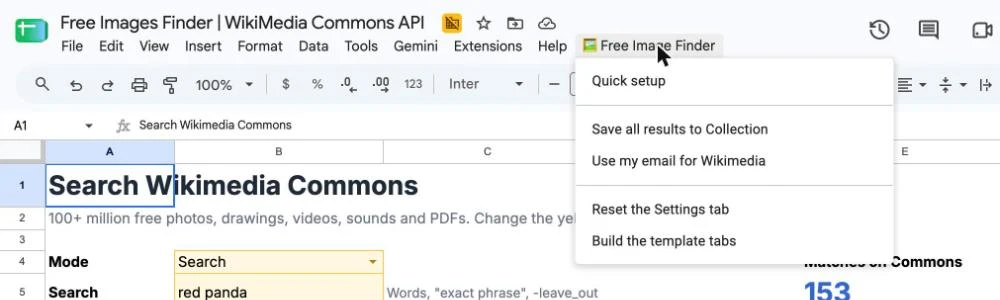
After you copy it, click Free Image Finder > Quick setup. That's the whole setup.
Files come from Wikimedia Commons through its public API. Better Sheets isn't affiliated with the Wikimedia Foundation.