Big Year vs Google Calendar
Google Calendar excels at reminders and shared events on your phone. Big Year excels at seeing all 365 days on one page, printing a wall calendar, and living in Google Sheets you already have. No app download required.
Searchers looking for Google Calendar download want software on phone or desktop. Big Year lives in Google Sheets. You already have it. And it shows the whole year at once.
Competitive notes reviewed 2026-07-21. Verify pricing and features on vendors before purchasing.
At a glance
| Category | Google Calendar | Big Year |
|---|---|---|
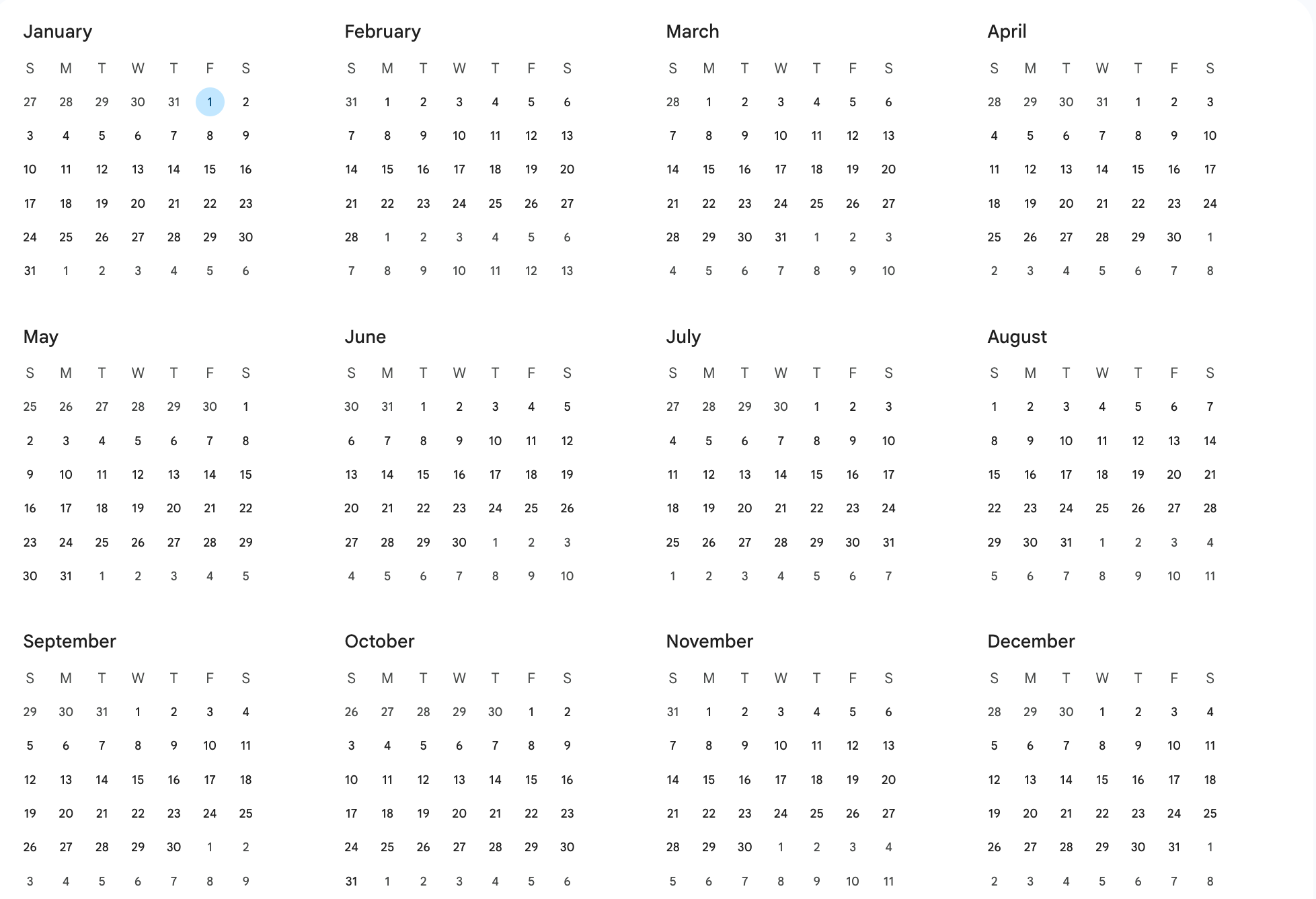
| Year at a glance | Year view on the web is 12 tiny month grids. Dates only, no events. Fine for finding a date. | BIG shows the full year. |
| Install required | App or web app for full features. | Google Sheets in browser. No separate install. |
| Wall printable | Screen-based. Printing is awkward. | Designed for PDF export and wall or desk print. |
| Reminders | Strong notifications and invites. | Visual planning. Pair with Calendar for alerts if needed. |
| Habits and moon | Not built in. | CHECK habits and MOON phases in Big Year Premium. |
| Price | Free with Google account. | Free download. |
What Google Calendar is built for
Google Calendar is the default scheduling app: events, invites, notifications, and day, week, and month views. It does have a Year view on the web. It's 12 small month grids with just the dates. No events, no holidays, nothing to plan on or print.
When Big Year wins
- You want year-at-a-glance planning and a printable wall calendar.
- You searched for Google Calendar download but already use Google Workspace.
- You want habits, school year, or moon phases beside the calendar grid (Big Year Premium).
When Google Calendar wins
- You need push notifications and shared event invites.
- Day-to-day scheduling on mobile is the main job.
- You live in week and month views and only peek at the year.
Common questions
Is Big Year better than downloading Google Calendar?
Different jobs. Google Calendar is for events and reminders. Big Year is for seeing the whole year, printing a planner, and editing in Sheets. Many people use both.
Do I need to install anything for Big Year?
No. Copy the sheet into Google Drive and open it in Google Sheets in your browser.