Write Apps Script for your sheet
Three quick connections, then just type what you want.
Continue with Google
Read your sheet, write to its Apps Script. Nothing else.
Automate only ever sees the sheets you pick here. The rest of your Drive stays invisible to it.
Reading your spreadsheet…
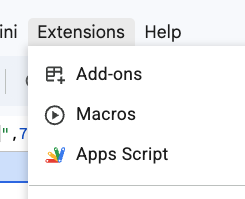
First time with this sheet? In your sheet: Extensions → Apps Script, then copy the URL. We save it so you skip this next time.
Fetching Apps Script…
What do you want your sheet to do?
Writing code
›
▍
›
Safe mode — code is written here in the browser only. Your sheet’s script is never changed.
send it somewhere
How does the automation start?
what exactly
what exactly
what exactly
what exactly
your automation
click or drag tiles in
—
File Automate writes to:
Where Automate writes
Better.gs is its own file inside your Apps Script project. Code you already have stays untouched.
Pick Code.gs when the change has to go where your code already lives — editing an onEdit you already wrote, say.
Better.gs
Code.gs
What changed in Better.gs
Only the lines shown above changed.
Finding the Apps Script URL
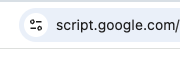
In your spreadsheet, open Extensions → Apps Script. Copy the address bar URL and paste it here.